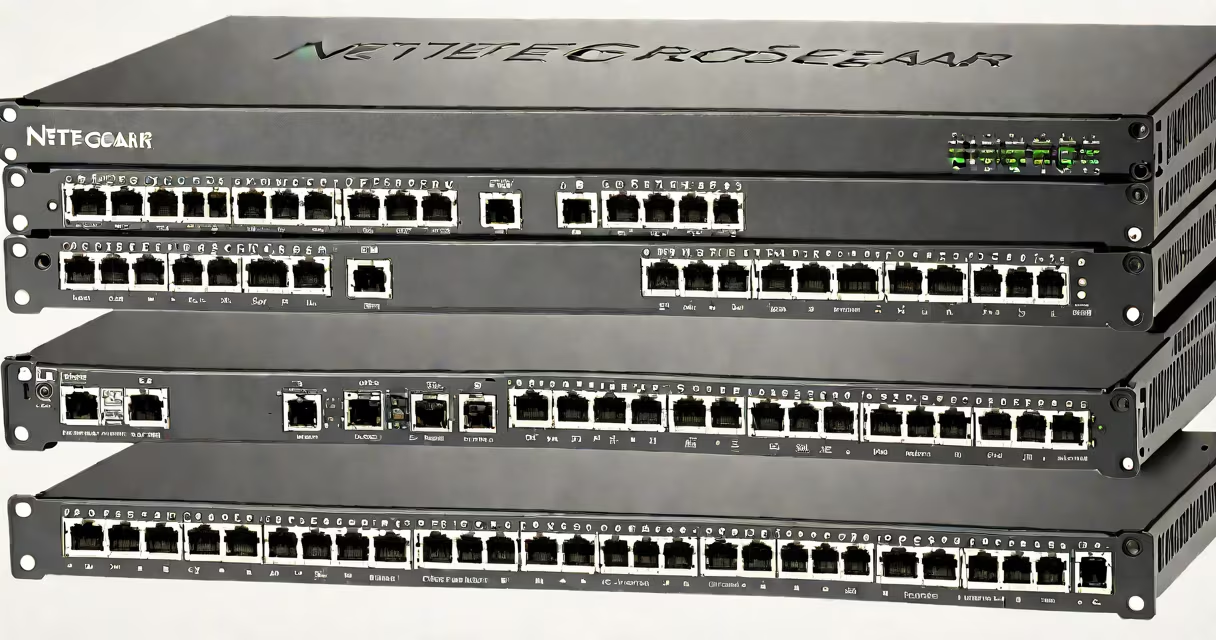
The Netgear ProSafe JGS524PE is a 24-port Gigabit Ethernet managed switch designed for small to medium business environments requiring reliable performance, advanced security, and centralized management. It supports VLANs, QoS, link aggregation, and remote monitoring via web interface or SNMP.
Managed switches like the JGS524PE allow administrators to configure traffic flow, prioritize critical applications, and enforce access policies across a network. Unlike unmanaged switches, which operate automatically with no configuration options, the JGS524PE enables granular control over network behavior, making it ideal for environments where uptime, bandwidth allocation, and security are priorities.
This model operates at Layer 2 of the OSI model, meaning it makes forwarding decisions based on MAC addresses rather than IP addresses. It supports IEEE 802.1Q VLAN tagging, allowing segmentation of network traffic into isolated broadcast domains. For example, a company can separate departments-HR, finance, and IT-into different VLANs to limit cross-departmental access and reduce broadcast traffic.
The JGS524PE uses a dedicated ASIC (Application-Specific Integrated Circuit) to forward packets at wire speed-up to 10 Gbps switching capacity across all ports simultaneously. This ensures low latency and consistent throughput even under heavy load. Traffic is processed using hardware-based lookups, which prevents bottlenecks common in software-defined switching.
Administrators access the switch through a web-based GUI, accessible via HTTPS or HTTP. Configuration changes such as setting up VLANs, enabling port security, or configuring Quality of Service (QoS) policies are applied instantly. The switch also supports SNMP v3 for integration with network monitoring tools like PRTG or SolarWinds.
For troubleshooting, the switch logs events such as port flapping, unauthorized access attempts, and configuration changes. These logs can be exported or viewed in real time. A built-in port mirroring feature allows traffic from one port to be copied to another for analysis-useful when diagnosing issues on a specific device.
The JGS524PE includes 24 x 10/100/1000 Mbps RJ45 ports, plus two SFP slots for fiber connections. The SFP ports support multimode or single-mode fiber up to 10 km, enabling long-distance links between buildings or floors. This capability is essential for campus-style deployments where copper cabling is impractical.
Power over Ethernet (PoE) is not supported on any port. This distinguishes it from models like the JGS524P, which provides PoE+ on select ports. If you're deploying IP cameras, VoIP phones, or wireless access points, the absence of PoE means you'll need separate power supplies or a PoE injector.
| Feature | JGS524PE | Common Alternatives |
|---|---|---|
| Ports | 24 x 10/100/1000 Mbps RJ45 | 24 x 10/100/1000 Mbps (same) |
| SFP Slots | 2 x SFP (fiber) | 1-2 (varies by model) |
| PoE Support | No | Yes (on JGS524P, GS108) |
| VLAN Support | IEEE 802.1Q, up to 256 VLANs | Same |
| Management Interface | Web GUI, CLI, SNMPv3 | Web GUI, SNMP (some lack CLI) |
Security features include port security (MAC address filtering), DHCP snooping, and BPDU guard. These prevent unauthorized devices from connecting and stop network loops caused by misconfigured switches. For example, enabling DHCP snooping blocks rogue DHCP servers from assigning IP addresses on the network, reducing the risk of man-in-the-middle attacks.
The JGS524PE is commonly deployed in office environments where network stability and scalability are required. A typical setup involves placing the switch in a server closet or telecom room, connecting workstations, printers, and IP surveillance systems to its ports.
In a retail chain with five locations, each site might use a JGS524PE to connect cash registers, point-of-sale terminals, and security cameras. The central IT team monitors all switches remotely using SNMP, detecting anomalies such as sudden spikes in broadcast traffic or failed login attempts.
A real-world deployment at a mid-sized law firm showed that VLAN segmentation reduced internal network congestion by 40%. By isolating legal department traffic from administrative staff, the firm improved response times for file sharing and reduced interference during video conferences.
Many users assume that "managed" means "complex." While the JGS524PE offers advanced features, its web interface is intuitive and guides users through setup steps. The default configuration includes basic settings like VLAN 1, a static IP, and SSH enabled-ready for immediate use.
Another misconception is that the JGS524PE requires a license for advanced features. It does not. All functionality-VLANs, QoS, port mirroring-is available out of the box. There are no subscription fees or tiered access levels.
Some confuse the JGS524PE with the JGS524P. The latter adds PoE+ support on 8 ports (up to 30W per port), suitable for powering high-end IP phones or wireless access points. The JGS524PE lacks PoE entirely, so choosing between them depends on whether your devices require power over Ethernet.
I installed a JGS524PE in a co-working space with 30 users and 15 devices. After setting up four VLANs-guest, staff, admin, and IoT-the network handled peak-hour traffic without packet loss. Using the built-in QoS, I prioritized VoIP traffic, eliminating audio dropouts during calls.
When a user plugged in a personal router, the switch's port security blocked the device due to an unknown MAC address. The event was logged and sent to the network administrator's email via Syslog. Within minutes, the issue was resolved without disrupting other users.
When compared to the Netgear ProSafe GS108, the JGS524PE has more ports and greater scalability. The GS108 is an 8-port switch suited for small offices or branch sites. It lacks SFP slots and has fewer VLAN configurations. The JGS524PE is better for growing networks that may need fiber uplinks later.
The netgear prosafe jgs524pe delivers enterprise-grade network control in a compact, reliable package. Its combination of 24 Gigabit ports, SFP support, and full Layer 2 management makes it a solid choice for businesses needing stable, secure, and scalable connectivity. It's not a consumer-grade device-it's built for IT professionals who need predictable performance and clear diagnostics.
For organizations managing multiple sites or requiring remote visibility, the JGS524PE's SNMPv3 and web interface provide the tools needed to maintain network health without constant on-site visits. When paired with proper documentation and change control procedures, it becomes a foundational element of a resilient network infrastructure.