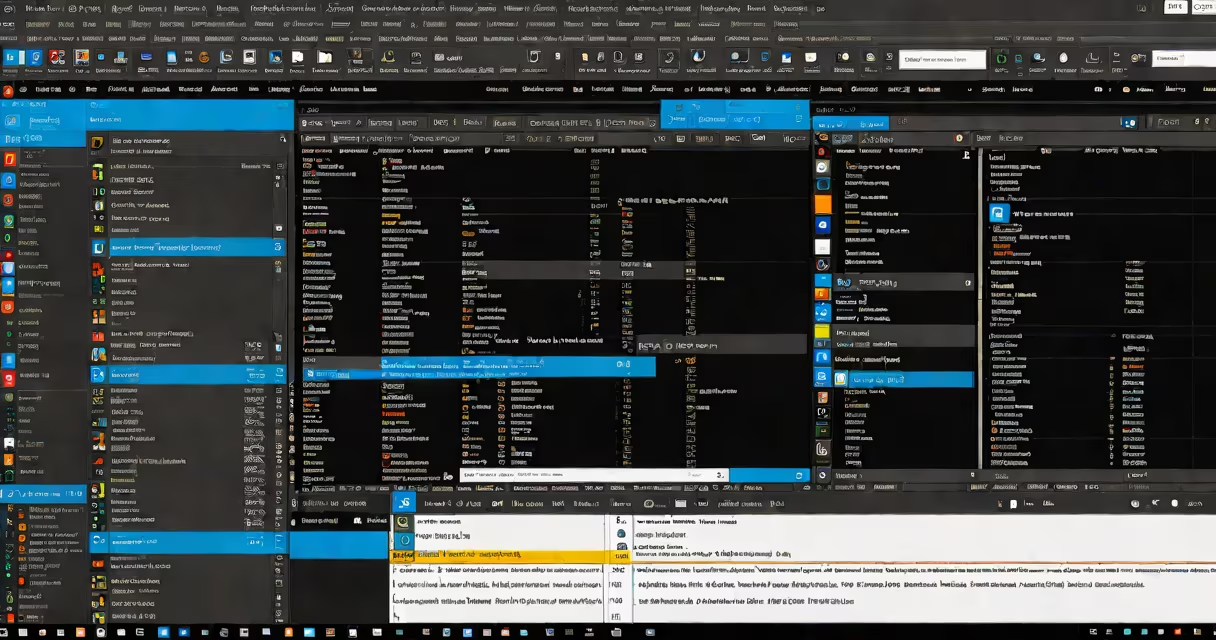
The best html editors free are standalone or browser-based applications that allow users to write, edit, and preview HTML code without cost. These tools offer syntax highlighting, auto-completion, and debugging features essential for building websites efficiently. They run on Windows, macOS, and Linux, and many support plugins for extended functionality.
These editors differ from basic text editors like Notepad by providing structured environments tailored for web development. They interpret HTML tags correctly, show errors in real time, and often integrate with live preview windows. Popular options include Visual Studio Code, Brackets, and Atom-all open-source and maintained by active developer communities.
Free HTML editors are especially useful for students, freelancers, and small teams who need professional-grade tools without licensing fees. They support modern web standards, including HTML5, CSS3, and JavaScript, and many include built-in terminal access and Git integration for version control.
Best html editors free operate by parsing raw text input and applying visual cues based on language rules. When you type <div>, the editor recognizes it as an HTML tag and colors it differently from plain text. This process, called syntax highlighting, reduces errors and improves readability.
Editors also use autocomplete features powered by context-aware algorithms. Typing <img src=" in a new file triggers suggestions for common attributes like alt, width, and height. This speeds up coding and prevents typos in attribute names.
Behind the scenes, these editors rely on language servers-background processes that analyze code structure. For example, VS Code uses the TypeScript Language Server for JavaScript and a custom HTML server for tag validation. These services check for unclosed tags, invalid nesting, and deprecated elements.
Free HTML editors fall into three categories: desktop apps, web-based tools, and lightweight editors. Desktop apps offer full offline functionality and deeper customization. Web-based editors require internet access but work across devices. Lightweight editors focus on speed and minimal resource usage.
| Type | Examples | Best For | Key Feature |
|---|---|---|---|
| Desktop | Visual Studio Code, Brackets | Full project development | Plugin system, integrated terminal |
| Web-Based | CodePen, JSFiddle, Replit | Quick prototyping, sharing | Real-time collaboration, instant publishing |
| Lightweight | Sublime Text (free trial), Vim | Fast editing, low memory use | Minimal interface, keyboard-driven workflows |
VS Code stands out among desktop editors due to its extensive extension library. Over 50,000 extensions are available through the marketplace, including tools for linting, formatting, and debugging. You can install a plugin that automatically fixes indentation issues or validates your HTML against W3C standards.
Web-based editors like CodePen are ideal for testing small snippets. You can write a few lines of HTML and see the result instantly in a browser window. These platforms also allow sharing via link, making them useful for tutorials and peer review.
Basic text editors lack syntax awareness. Typing <h1> in Notepad appears as plain black text. There's no way to distinguish between a tag and regular text unless you manually scan the file. This increases error rates and slows down development.
Free HTML editors reduce cognitive load by automating repetitive tasks. For example, pressing Ctrl+Shift+P in VS Code opens a command palette. Typing "format document" applies consistent spacing and indentation across the entire file. This ensures uniform code quality across team projects.
A key advantage is live preview. In Brackets, you can enable a split-screen view where changes to the HTML file update the rendered page in real time. This eliminates the need to manually refresh a browser tab during design iterations.
Many assume that free HTML editors are limited in function compared to paid ones. This is false. VS Code, for instance, supports advanced features like IntelliSense, multi-cursor editing, and integrated debugging-capabilities found in commercial IDEs like JetBrains WebStorm.
Another misconception is that web-based editors are insecure. While they send code to remote servers, most reputable platforms encrypt data in transit and do not store files permanently unless explicitly saved. CodePen, for example, allows anonymous code sharing without requiring login.
Some users confuse HTML editors with website builders. Tools like Wix or Squarespace generate HTML behind the scenes but hide the underlying code. The best html editors free give direct access to the markup, enabling customization beyond drag-and-drop templates.
To illustrate, consider creating a personal portfolio using the best html editors free. Start with VS Code. Create a folder named "portfolio" and open it in the editor. Inside, create index.html, styles.css, and script.js.
Type the following in index.html:
<!DOCTYPE html>
<html lang="en">
<head>
  <meta charset="UTF-8">
  <title>My Portfolio</title>
  <link rel="stylesheet" href="styles.css">
</head>
<body>
  <header>
    <h1>Jane Doe</h1>
    <p>Front-End Developer</p>
  </header>
  <section id="about">
    <p>I build responsive websites using modern HTML and CSS.</p>
  </section>
</body>
</html>
As you type, VS Code highlights <html>, <head>, and <body> in distinct colors. When you close a tag incorrectly, it shows a red underline. Pressing Alt+Shift+F formats the code neatly.
Open the integrated terminal (View → Terminal) and run a local server using Live Server, a popular extension. The site loads in a browser window at http://localhost:5500. Any change to index.html updates the page automatically.
This workflow demonstrates how free tools match professional-grade capabilities. No license fees, no subscription costs-just a functional environment ready for deployment.
I built my first website using Brackets in 2016. It was a simple recipe blog with embedded images and navigation menus. The live preview feature let me adjust margins and font sizes while seeing results instantly. After six months, I migrated to VS Code for better plugin support and faster performance. Both were free, and neither required credit card details.
For beginners, start with VS Code. It has the largest community, detailed documentation, and a vast library of extensions. Install the "Live Server" and "Prettier" plugins to improve workflow efficiency.
For rapid experimentation, use CodePen. It requires no setup and lets you share code with others in seconds. It's perfect for learning fundamentals or demonstrating concepts.
When working on large projects with multiple contributors, stick with desktop editors. Their offline mode and version control integration prevent disruptions during network outages.
Always verify your HTML output using the W3C Markup Validation Service. Even the best html editors free may suggest incorrect syntax if templates or auto-complete features are misconfigured. Running validation ensures compatibility across browsers.
With the right free tool, anyone can create functional, accessible, and maintainable websites. The best html editors free deliver enterprise-level features at no cost-making web development accessible to everyone.