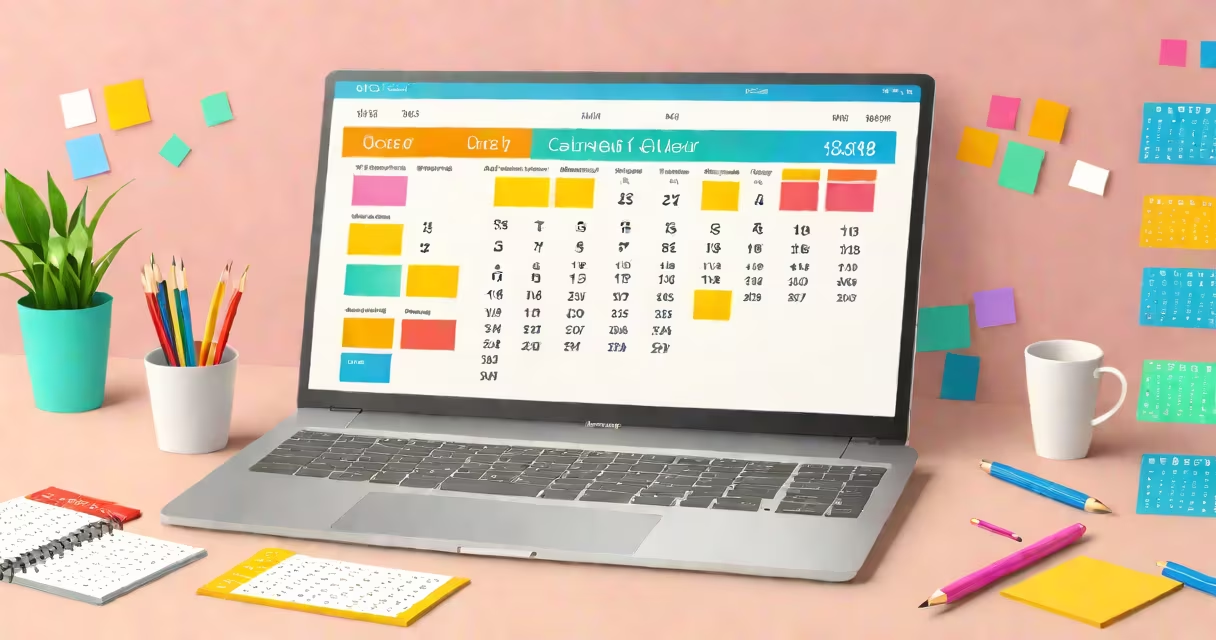
Creating your own calendar free means generating a personalized monthly, weekly, or yearly schedule using web-based tools that require no payment, registration, or software download. These platforms allow you to input events, assign colors, adjust layouts, and export or print calendars instantly.
Free calendar generators operate through web browsers. You select a template-such as a monthly grid, weekly planner, or yearly overview-and customize it with your own dates, tasks, holidays, or reminders. Most tools support exporting to PDF, PNG, or printing directly. No coding or design skills are needed.
Popular services like Canva, Google Calendar, and PrintCalendar offer free versions with full functionality for basic use. Some limit advanced features like multi-page exports or custom branding unless you upgrade. Still, core calendar creation remains free.
These tools work by combining a calendar engine with a visual editor. The engine handles date logic-like leap years, month lengths, and week numbering-while the editor lets you place events, set reminders, and apply styles.
You start by choosing a format: monthly (one page per month), weekly (seven-day blocks), or yearly (12-month spread). Next, you enter your events-birthdays, appointments, deadlines-with titles, times, and color codes. Many tools auto-sync with Google Calendar or allow manual entry via text fields.
After customization, you can preview the layout, adjust margins, choose fonts, and export. Export formats include PDF for sharing, PNG for digital use, and printable HTML for direct printing. Some tools even add fold lines for booklet-style calendars.
Different tools serve different needs. Here's a breakdown of common types:
| Type | Best For | Example Tools | Key Feature |
|---|---|---|---|
| Monthly Grid | Home use, event tracking | Canva, PrintCalendar | Visual design with icons and themes |
| Weekly Planner | Daily scheduling, student planners | Google Calendar, CalendarLabs | Time-block editing and color-coding |
| Yearly Overview | Long-term planning, academic year | PrintCalendar, Calendly | Multi-page layout with holiday markers |
| Custom Design | Branded calendars, gifts, marketing | Canva, Adobe Express | Drag-and-drop elements, image uploads |
Each type uses a different underlying structure. Monthly grids rely on fixed 7×6 cell layouts. Weekly planners often use vertical time zones. Yearly calendars may split months across pages or stack them in a single document.
Some tools generate calendars based on templates. Others build from scratch using date algorithms. For example, Canva's calendar tool uses a JavaScript library to calculate weekday alignment and automatically populate days. This avoids manual date entry errors.
Individuals use free calendar tools to track personal goals, school schedules, fitness routines, or family events. A college student might create a semester calendar with exam dates, class times, and study blocks-all in one color-coded view.
Small businesses use them for project timelines. A freelance designer created a quarterly calendar with client deadlines, creative milestones, and billing dates. They exported it as a PDF and shared it with clients via email.
Teachers often make classroom calendars with lesson plans, field trips, and testing weeks. One high school biology teacher used a free weekly planner to map out lab experiments and quizzes. She printed it for her students and updated it weekly.
Nonprofits use free calendars to promote events. A local food bank generated a monthly calendar highlighting donation drives, volunteer shifts, and community meals. They posted it on their website and distributed it at local markets.
Many assume "create your own calendar free" means completely unlimited access. That's false. While basic features are free, some tools restrict exports to low resolution, limit the number of pages, or disable bulk editing without a paid plan.
Another mistake is thinking free tools don't save your work. Most do not store data unless you log in. If you close the browser without downloading, your calendar disappears. Always export before leaving.
A lesser-known issue: some free calendars don't account for daylight saving time changes. A user once scheduled a recurring meeting every Friday at 3 PM. After daylight saving began, the meeting shifted to 2 PM. The tool didn't adjust for time zone offsets, leading to missed sessions.
Also, not all free calendars support international holidays. A person in Japan tried to add Obon Festival and New Year's Day to a U.S.-based template. The holidays didn't appear because the default list was region-specific. You must manually add them or switch to a country-specific template.
I created a family holiday calendar last December using Canva's free calendar template. I selected a "monthly grid" layout with a festive theme. I added 12 months, each with my children's birthdays, school breaks, and holiday traditions.
For each event, I assigned a color: red for Christmas, green for Hanukkah, blue for birthdays. I used Canva's drag-and-drop feature to move events around and resize boxes. I added photos of past celebrations and included a note: "Family dinner at Grandma's on Dec 24."
After editing, I exported the calendar as a high-resolution PNG and shared it with relatives via email. I also printed a copy for the fridge. The entire process took under 20 minutes and cost nothing.
This example shows how free tools deliver professional results without training. The key is selecting a template that fits your purpose and using clear labels for events.
Behind every free calendar is a mix of frontend and backend systems. The frontend-the visible part-is built with HTML, CSS, and JavaScript. It renders the calendar grid and handles user interactions like clicking on a date.
The backend, if present, manages data storage. But most free tools don't store your calendar unless you sign in. Instead, they generate the file on demand and send it to your device. This means your data stays private and isn't saved on servers.
For example, PrintCalendar generates a PDF in real time using a server-side rendering engine. When you click "Download," the site sends your selections to a script that builds the PDF using a library like Puppeteer or PDFKit. No user data is stored unless you opt in.
Understanding this helps avoid privacy risks. If a tool asks for your email to "save your calendar," consider whether you need that feature. Many free tools work without any login.
create your own calendar free is accessible, practical, and effective for personal, educational, and small business use. With dozens of tools offering full functionality at no cost, you don't need to pay for a calendar that meets your needs.
Choose a platform that matches your goal-whether it's tracking a project timeline, organizing a family event schedule, or planning a year of goals. Use templates wisely, export early, and test your calendar before sharing.