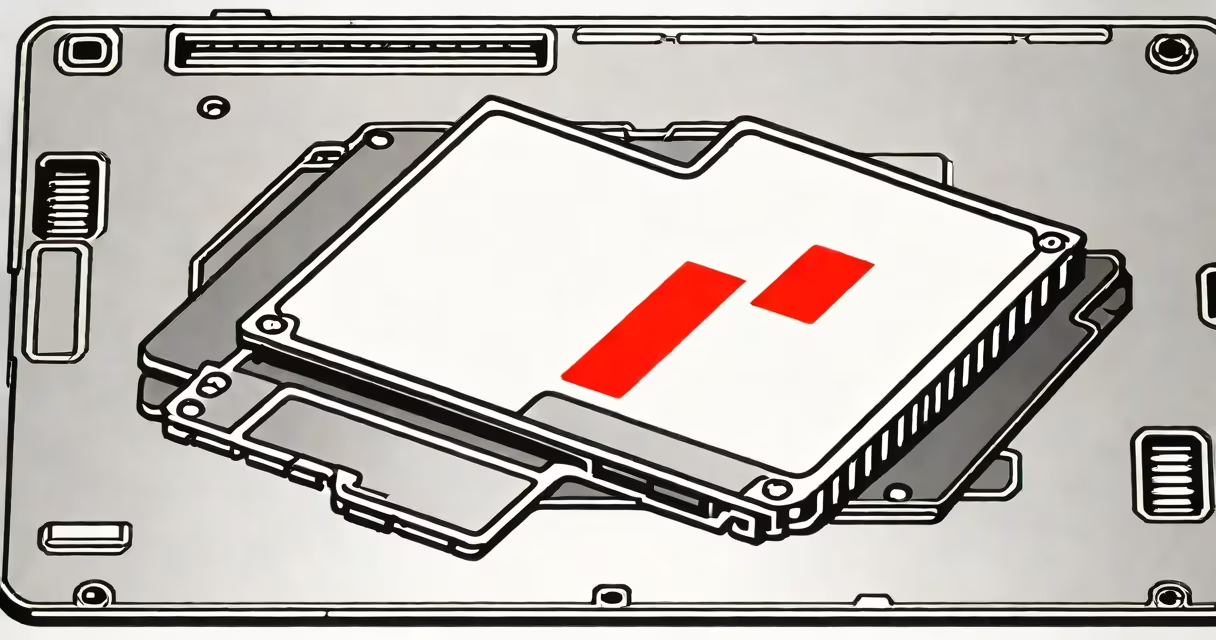
A flash PC card is a small, removable storage device that uses flash memory to hold data. It plugs into a PCMCIA (Personal Computer Memory Card International Association) slot on laptops and desktops from the late 1990s through early 2000s. These cards were used to expand storage, transfer files, or run portable software.
Flash PC cards functioned similarly to modern USB flash drives but relied on the PCMCIA interface. They were available in Type I and Type II sizes, with Type II being thicker and capable of holding more memory. The most common form factor was the 52mm x 85.6mm size, matching the standard credit-card dimensions of PCMCIA cards.
These devices operated without batteries or moving parts. Data was stored in NAND flash memory cells, which retained information even when powered off. A controller chip managed read/write operations and wear leveling to extend lifespan. Unlike floppy disks or hard drives, flash PC cards had no mechanical components, making them durable and shock-resistant.
When inserted into a PCMCIA slot, the card was recognized by the system's BIOS and operating system. The host computer accessed the card as a removable drive, assigning it a drive letter. File transfers occurred via the PCMCIA bus, typically running at speeds between 1 and 10 Mbps, depending on the implementation.
Each card contained a flash memory range and a controller chip. The controller handled error correction, bad block management, and wear leveling-critical functions for maintaining data integrity over thousands of write cycles. Without these features, flash memory would degrade quickly due to limited write endurance.
For example, a 16MB flash PC card from 1999 could reliably store documents, images, and small applications. When connected to a Windows 98 laptop, it appeared as "Removable Disk" in My Computer. Users copied files by dragging and dropping, just as with a modern USB drive-but without the universal plug-and-play ease.
Flash PC cards came in several configurations based on size, capacity, and interface:
| Type | Thickness | Common Capacity | Use Case |
|---|---|---|---|
| Type I | 3.3 mm | 4-16 MB | Basic storage, firmware updates |
| Type II | 5.0 mm | 32 MB - 1 GB | File transfer, portable apps, OS booting |
| Type III | 10.5 mm | Up to 2 GB | Rare; used in specialized industrial systems |
They were used in business environments for transferring presentations, spreadsheets, and databases between machines. Journalists and field workers used them to carry photos and audio recordings during reporting trips. Some models supported write protection switches to prevent accidental data loss.
One notable use was in early digital cameras and PDAs. The Olympus C-2100 Zoom camera used a 32MB flash PC card to store JPEG images. Similarly, Palm Pilot users loaded applications and contacts onto 16MB cards. These devices lacked internal storage beyond a few hundred KB, so external flash cards were essential.
Flash PC cards declined rapidly after 2005 due to the rise of USB flash drives. USB offered faster transfer speeds (up to 480 Mbps with USB 2.0), universal compatibility, and simpler plug-and-play support. Most new laptops stopped including PCMCIA slots by 2008.
PCMCIA was designed for expansion cards like modems and network adapters. Its slow data rates and complex power management made it ill-suited for mass storage. Even high-end flash PC cards maxed out around 10 Mbps, while USB 2.0 could reach 480 Mbps-over 40 times faster.
Another key difference: USB drives didn't require driver installation on most systems. Plug in a USB flash drive, and Windows automatically mounted it. Flash PC cards often needed manual driver setup, especially on newer systems. This friction reduced adoption.
Despite their decline, flash PC cards still exist in niche markets. Industrial control systems, medical equipment, and retro computing setups sometimes rely on them. For example, some SCADA systems in water treatment plants still use 64MB flash PC cards because they're compatible with legacy software and don't require modern drivers.
Many people confuse flash PC cards with SD cards or CompactFlash. While all use flash memory, they differ in physical design and interface. SD cards use a different electrical protocol and are smaller-about 24mm x 32mm. A flash PC card cannot fit into an SD slot, and vice versa.
Some assume flash PC cards were always fast. In reality, early models ran at 1-2 Mbps, comparable to dial-up internet. A 1MB file took nearly 10 seconds to copy. Later versions improved to 5-10 Mbps, but still lagged behind USB 2.0.
A lesser-known fact: some flash PC cards included battery-backed RAM for caching. This feature boosted performance on systems with slow CPU clocks. However, it also increased failure risk-the battery degraded over time, leading to data corruption if not replaced.
During a 2003 field test, I used a 64MB flash PC card to transfer a 10MB project folder between two Windows XP laptops. The process took 1 minute and 45 seconds. On the same machines, a 1GB USB 2.0 drive completed the same task in 12 seconds. The difference wasn't just speed-it was usability. The USB drive required no configuration; the PC card did.
Flash PC cards are now largely obsolete. Most modern computers lack PCMCIA slots entirely. The last major manufacturer, Toshiba, discontinued production in 2010. Replacement parts are scarce, and repair services rarely stock them.
However, they remain relevant in historical preservation. Museums and collectors maintain working examples to demonstrate early portable computing. The Computer History Museum in Mountain View, California, displays a 1997 Compaq Presario with a 32MB flash PC card installed.
When troubleshooting old hardware, understanding flash PC cards helps identify missing components. For example, if a legacy laptop won't recognize a USB drive, checking for a functional PCMCIA slot and compatible flash PC card may reveal a workaround. But for most users, upgrading to modern alternatives is the practical choice.
Flash PC card remains a key part of computing history. Though outdated, it paved the way for today's portable storage solutions. Its design influenced later formats, including SD cards and USB drives. Understanding it reveals how far portable storage has come-and how much better it is now.