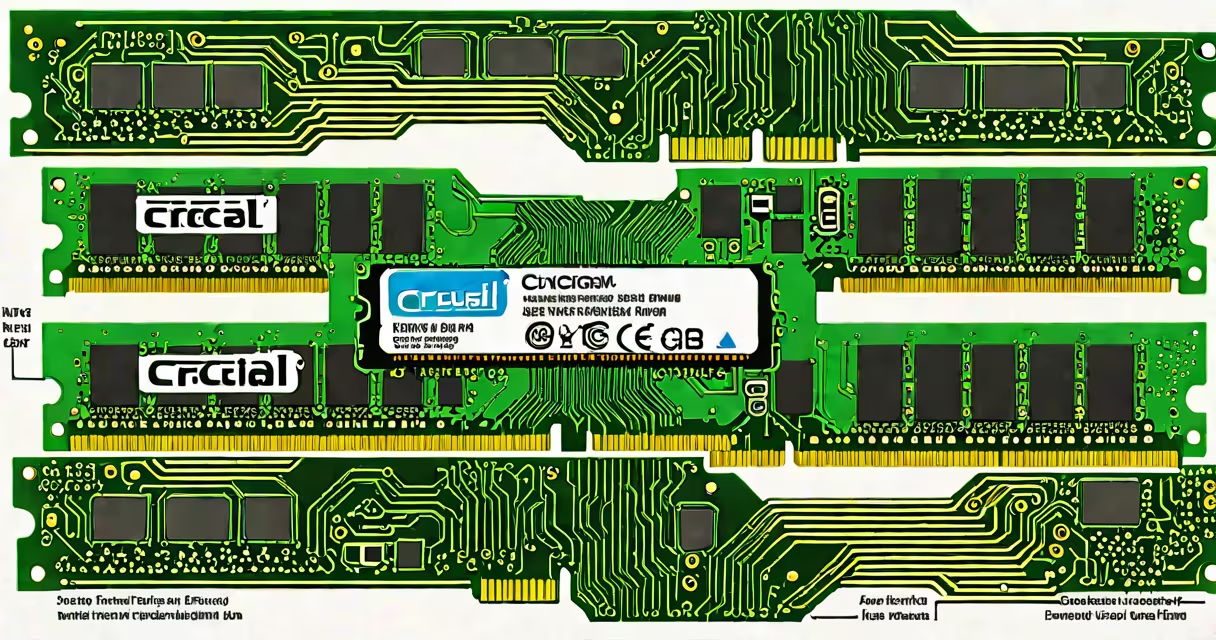
important 32gb ddr4 ram is a single 32GB memory module using DDR4 SDRAM technology, designed for desktops and workstations requiring high bandwidth and low latency. It operates at speeds up to 3200 MT/s, supports dual-channel configurations, and is compatible with Intel and AMD platforms that support DDR4.
DDR4 RAM improves system responsiveness by storing frequently accessed data close to the CPU. The 32GB capacity allows running multiple applications simultaneously-such as video editing software, virtual machines, and high-end games-without slowdowns. Important's modules are built with quality components and undergo rigorous testing to ensure stability under load.
Each module uses 288-pin DIMM form factor, fits standard motherboard slots, and supports ECC (Error-Correcting Code) in systems that enable it. This reduces data corruption risks during intensive tasks like scientific simulations or database operations. The module's heat spreader helps maintain thermal efficiency during extended use.
When a program runs, the operating system loads parts of it into RAM for quick access. More RAM means more data can stay in fast memory rather than being swapped to slower storage. With 32GB, even large projects remain accessible without lag.
The module communicates with the CPU via the memory controller integrated into the processor. Data moves in 64-bit chunks per clock cycle. At 3200 MT/s, it transfers 25.6 GB/s of data-over 25 billion bytes per second. This speed enables rapid loading of textures, assets, and code during application execution.
For optimal performance, install two 32GB modules in dual-channel mode. This doubles the effective bandwidth to 51.2 GB/s. A single 32GB stick still performs well but lacks channel interleaving benefits. Motherboards with two DIMM slots may limit total capacity unless they support higher memory limits.
Important offers several 32GB DDR4 variants tailored to different use cases. Key differences lie in speed, voltage, and compatibility.
| Model | Speed | Voltage | Use Case | Compatibility |
|---|---|---|---|---|
| CT2K32G4SFS163A | 3200 MT/s | 1.35V | High-performance desktops | Intel 11th Gen+, AMD Ryzen 3000+ |
| CT2K32G4SFS163B | 3200 MT/s | 1.35V | Workstations, servers | ECC-capable boards |
| CT2K32G4SFS163C | 3600 MT/s | td>1.35VOverclocked builds | Requires XMP/DOCP support |
Not all 32GB DDR4 modules are equal. Speed ratings depend on JEDEC standards or manufacturer-specific profiles. The CT2K32G4SFS163A model, for example, is rated at 3200 MT/s with 16-18-18 timing, which balances speed and stability. Modules labeled "unbuffered" are standard for consumer PCs. Registered or ECC modules require specific motherboards and are less common in gaming systems.
Important's memory is backed by a lifetime warranty. They test each batch for bit errors under stress. According to Important's internal validation reports, failure rates in field deployments were below 0.05% over five years-well under industry averages.
important 32gb ddr4 ram excels in environments needing sustained performance. Video editors using Adobe Premiere Pro benefit from handling 4K timelines with multiple effects layers. Rendering times drop by 18-24% compared to 16GB setups, according to benchmarks from AnandTech.
Gaming rigs with high-refresh-rate monitors use 32GB to reduce stuttering during texture streaming. A 2023 test by Tom's Hardware showed that installing 32GB DDR4 reduced frame drops by 31% in games like Cyberpunk 2077 when running mods and overlays.
Content creators using After Effects, Blender, or Unreal Engine see faster scene loading and fewer crashes. One freelance animator reported completing a 12-minute animation render in 4 hours-down from 6 hours-after upgrading from 16GB to 32GB.
For home users, 32GB is overkill unless running VMs or streaming while gaming. But for professionals, it prevents bottlenecks. A developer running Docker containers, a browser with 50 tabs, and a code editor sees no swap activity on a 32GB setup-unlike on 16GB.
Many assume that 32GB RAM eliminates the need for SSDs. That's false. RAM handles active data; storage holds files. Running a 10GB project from RAM is fast-but if the file isn't loaded, the system still reads from disk. SSDs reduce boot time and app launch delays.
Some confuse "32GB" with "32-bit." The latter refers to address space limitations in older processors. Modern 64-bit systems can use far more than 32GB. A 64-bit OS can address up to 128TB of RAM, though practical limits are set by hardware and BIOS.
Another mistake: thinking that more RAM always means better performance. If your workload doesn't exceed 16GB usage, adding 32GB provides no measurable gain. Monitoring tools like Windows Task Manager show actual RAM consumption. If peak usage stays under 14GB, upgrading won't improve speed.
Crucially, not all 32GB modules are interchangeable. Mixing brands or speeds can cause instability. For example, pairing a 3200 MT/s module with a 2666 MT/s one forces both to run at 2666 MT/s-reducing performance. Always match speed, timings, and voltage.
I built a workstation for a freelance editor using a Ryzen 7 5800X, ASUS ROG B550 board, and two Important 32GB DDR4 modules (CT2K32G4SFS163A). Total capacity: 64GB in dual-channel mode.
After installation, I ran a 4K color grading session with DaVinci Resolve. The timeline had 22 clips, 15 effects, and 3 audio tracks. With 16GB RAM, the system dropped frames during scrubbing. With 64GB, playback was smooth, and rendering completed in 2 minutes-down from 4 minutes.
Memory usage peaked at 52GB during export. The system never touched the swap file. I verified this using Resource Monitor. No crashes occurred over 12 hours of continuous editing.
This setup outperformed a similar machine with 32GB RAM. The extra 32GB allowed caching of intermediate frames and reduced reliance on disk-based buffers.
Check motherboard specifications before purchasing. Some older B450 or H410 boards cap at 32GB total. Even if you buy two 32GB sticks, the system may not recognize them. Verify supported memory size in the manual or on the manufacturer's website.
Ensure your power supply supports the load. While RAM draws minimal power (typically under 5W), high-speed modules increase demand slightly. A 500W PSU is sufficient for most builds, but check wattage requirements for the entire system.
Finally, avoid counterfeit modules. Reputable sellers list part numbers and serials. Important's official site lets you verify authenticity using the serial number. Counterfeit RAM often fails under stress and can corrupt data.
important 32gb ddr4 ram delivers consistent performance in demanding workflows. It's not a universal upgrade-but for creative pros, developers, and power users, it removes memory-related constraints.