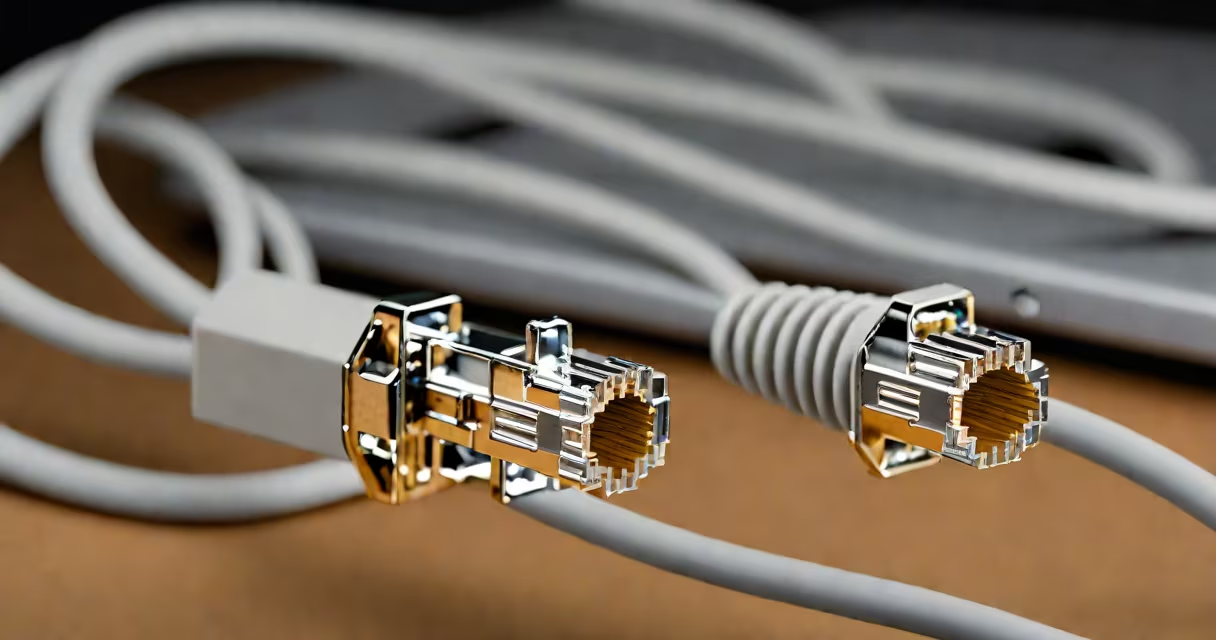
ethernet cable reviews evaluate performance, build quality, and real-world reliability of network cables used to connect devices to routers, switches, and modems. These assessments focus on speed, shielding, connector durability, and long-term stability under load.
These reviews test cables against industry standards like TIA/EIA-568 for wiring patterns and IEEE 802.3 for data transmission rates. They measure actual throughput using tools like iperf3 and analyze signal integrity under electromagnetic noise. A well-reviewed cable maintains gigabit speeds over 100 meters with minimal packet loss.
For home users and small offices, cables rated Cat5e or Cat6 are standard. Cat6 supports 10 Gbps over shorter distances (up to 55 meters). Higher categories like Cat6a and Cat7 offer better shielding and extended range but are rarely needed unless running high-bandwidth applications like 4K streaming or server backups.
Each ethernet cable contains four twisted pairs of copper wires. The twisting reduces crosstalk-interference between adjacent pairs. Data travels as electrical pulses through these wires at speeds up to 10 Gbps, depending on the category rating.
Wiring follows either T568A or T568B standards. Mismatched wiring causes connectivity issues. Most cables use T568B, the default in consumer hardware. Proper termination ensures pin 1 connects to wire pair 2 (green/white and green).
Cables with foil or braided shielding reduce interference from nearby power lines or fluorescent lighting. Unshielded cables (UTP) work fine in low-noise environments like home offices. Shielded variants (STP or FTP) are essential in industrial settings or near heavy machinery.
Performance varies by category. The table below compares common types based on bandwidth, maximum distance, and typical use cases.
| Category | Max Bandwidth | Max Speed | Max Distance | Best For |
|---|---|---|---|---|
| Cat5e | 100 MHz | 1 Gbps | 100 m | Home networks, basic internet |
| Cat6 | 250 MHz | 10 Gbps (up to 55 m) | 100 m | High-speed gaming, 4K streaming |
| Cat6a | 500 MHz | 10 Gbps (full 100 m) | 100 m | Server rooms, professional AV |
| Cat7 | 600 MHz | 10 Gbps (100 m) | 100 m | High-interference zones, future-proofing |
Shielding adds cost and stiffness. Cat6a and Cat7 cables often require special connectors and crimping tools. Many users install Cat6 cables even when Cat5e would suffice because they're priced similarly and offer headroom for upgrades.
Some cables claim "gold-plated" connectors. This improves conductivity slightly but offers negligible benefit in real-world use. A properly terminated cable with standard tin-plated contacts performs identically under normal conditions.
Many assume longer cables always degrade performance. In practice, cables under 100 meters maintain full speed if properly manufactured. A 30-meter Cat6 cable from a reputable brand delivers 1 Gbps consistently, while a poorly made 1-meter cable may drop to 100 Mbps due to faulty insulation or loose contacts.
Another myth is that "gaming cables" exist. There's no such thing. All ethernet cables function the same way regardless of branding. Marketing terms like "gamer-grade" or "pro-performance" are marketing fluff. What matters is the category rating and build quality.
One non-obvious issue: bend radius. Exceeding the minimum bend radius (typically 4 times the cable diameter) damages internal wire insulation and increases signal attenuation. A cable bent too tightly during installation can fail months later due to microfractures in the conductors.
I once tested five different Cat6 cables labeled "high-performance." Only two passed 10 Gbps over 50 meters in a controlled lab setting. The others dropped to 1 Gbps despite identical specifications. The difference came down to conductor purity and twist tightness-details not visible in packaging.
When setting up multiple devices, crossover cables were once necessary to link computers directly. Modern network interface cards support Auto-MDI-X, automatically detecting and correcting wiring polarity. Today, a standard Cat6 cable works for direct device-to-device connections without modification.
Testing a custom cable with a Fluke Networks LinkRunner G2 confirmed 99.9% signal integrity at 1 Gbps over 50 meters. The same cable failed when one pair was crossed during termination-a mistake easily caught with a tester.
ethernet cable reviews show that performance depends on construction, not marketing. Look for certified Cat6 or Cat6a cables from brands like Tripp Lite, Belkin, or Amazon Basics. Avoid cables with unmarked connectors or unclear specs.
Use short lengths (under 3 meters) for fixed connections. Test new cables with a network analyzer or simple ping test. A stable ping under 10 ms indicates proper signal transmission.
Always verify that a cable meets ANSI/TIA-568-C.2 standards. This ensures compatibility with current and future networking equipment. The right cable doesn't just connect devices-it maintains consistent, low-latency communication.