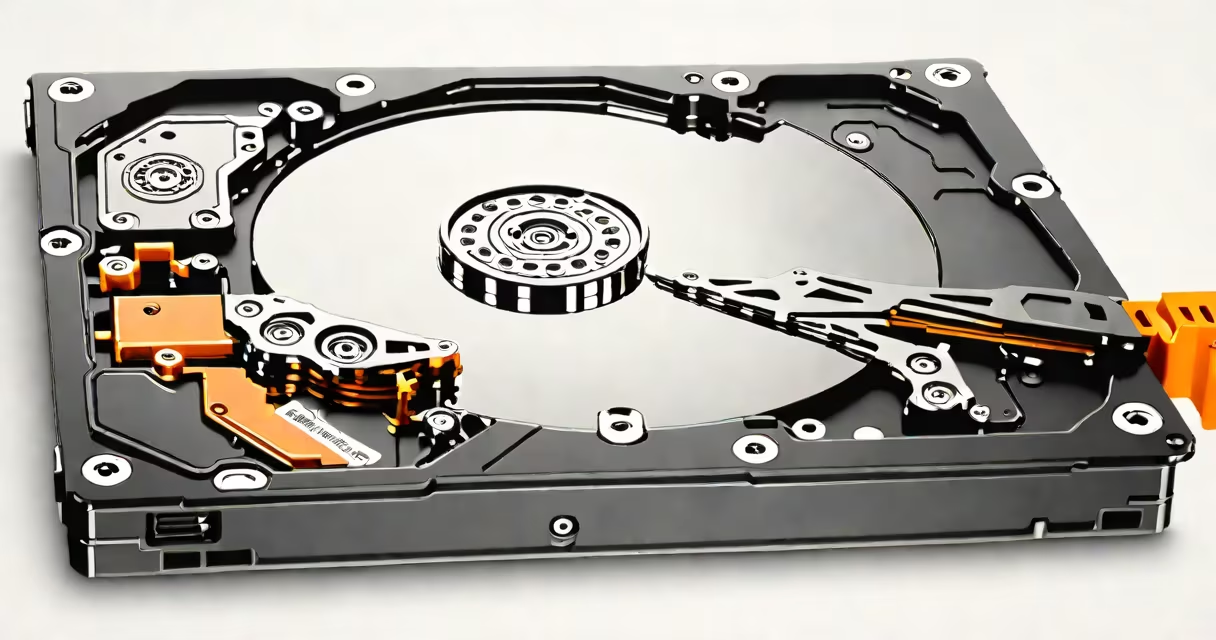
Seagate hard drive recovery is the process of retrieving lost, deleted, or inaccessible data from a Seagate-branded mechanical or solid-state drive using software tools, hardware diagnostics, or professional data recovery services. This process applies to drives experiencing logical failures, accidental deletion, formatting errors, or physical damage.
Data loss on a Seagate drive can occur due to power surges, sudden shutdowns, malware attacks, or improper ejection during file transfers. The recovery method depends on whether the issue stems from software corruption or physical component failure. For logical issues, recovery software can scan the drive's file system and rebuild access paths. For physical problems-such as damaged read/write heads or failed motors-recovery requires cleanroom environments and hardware-level intervention.
According to Backblaze, a cloud backup provider, approximately 2.5% of hard drives fail annually, with brand-specific failure rates varying slightly. Seagate has reported a 1.4% annual failure rate for its consumer-grade drives between 2016 and 2020, based on internal monitoring of over 1 million drives. These figures show the importance of having a recovery plan in place.
When a file is deleted from a Seagate hard drive, the operating system marks the space as available but doesn't immediately erase the data. This creates a window-often lasting days or weeks-where recovery is possible. Recovery tools scan the drive's sectors for remnants of file headers, metadata, and directory entries to reconstruct the original file structure.
For drives with unformatted partitions or corrupted file systems, recovery software uses deep-sector scanning to locate valid file signatures. Tools like Recuva, EaseUS Data Recovery Wizard, and Disk Drill can identify known file types (e.g., .jpg, .docx, .mp4) even if the file name or location is missing. They then rebuild the file path and restore the data to a safe destination.
A key distinction often missed is that recovery success depends on minimizing further writes to the drive. Writing new data over deleted sectors permanently overwrites the original content. Experts recommend disconnecting the drive from the computer and accessing it via a USB-to-SATA adapter or external enclosure to prevent accidental writes during recovery.
Recovery falls into two primary categories: software-based and hardware-based. Software recovery works for logical failures. Hardware recovery is required when physical components fail.
| Method | Use Case | Success Rate | Tools/Process |
|---|---|---|---|
| Software recovery | Deleted files, formatted drives, OS crashes | 70-90% | Recuva, TestDisk, PhotoRec, Disk Drill |
| Hardware recovery | Clicking noises, head crashes, motor failure | 10-30% | Professional labs, cleanrooms, platter replacement |
Software recovery tools analyze the drive's Master File Table (MFT) or File Allocation Table (FAT) to locate fragments. For example, when a 2GB video file is deleted from a Seagate Expansion Desktop Drive, a tool like Disk Drill can scan the drive and recover the file if no new data has overwritten the sector.
Physical recovery involves replacing faulty components such as the actuator arm or spindle motor. This requires a controlled environment to avoid dust contamination. According to Kroll Ontrack, a leading data recovery firm, 85% of physically damaged drives require cleanroom procedures to prevent further degradation during repair.
Many users attempt recovery using built-in Windows tools like "Previous Versions" or "System Restore," which only work if the feature was enabled beforehand. These tools do not recover files deleted after the last snapshot. They also don't function on drives formatted after a crash.
Another widespread error is using recovery software on a drive showing signs of physical failure-such as clicking or grinding sounds. Continuing to power on a failing drive increases the risk of permanent data loss. The correct step is to stop using the device immediately and consult a professional service.
A lesser-known fact: Seagate offers a limited warranty for data recovery on certain models. The Seagate Rescue Service provides free recovery for drives under warranty if the failure is due to manufacturing defects. However, this service does not cover data loss from user error, accidental deletion, or malware.
In 2022, a photographer accidentally formatted a 4TB Seagate Backup Plus drive containing over 12,000 unbacked-up wedding photos. The drive had been connected via USB-C to a MacBook Pro. After realizing the mistake, the user stopped using the drive and connected it via a USB-to-SATA adapter to a Linux machine.
This case illustrates that recovery is possible even after formatting, provided the drive is not reused and the right tools are applied promptly.
If a Seagate drive emits unusual noises, fails to mount in BIOS, or shows signs of water damage, DIY recovery attempts are likely to worsen the situation. Professional labs use vacuum chambers and magnetic force microscopy to extract data from damaged platters without touching the surface.
Recovery success hinges on speed, proper handling, and the right tool for the failure mode. Always back up critical data to multiple locations. Even the most reliable drives fail. Prevention is more effective than recovery.