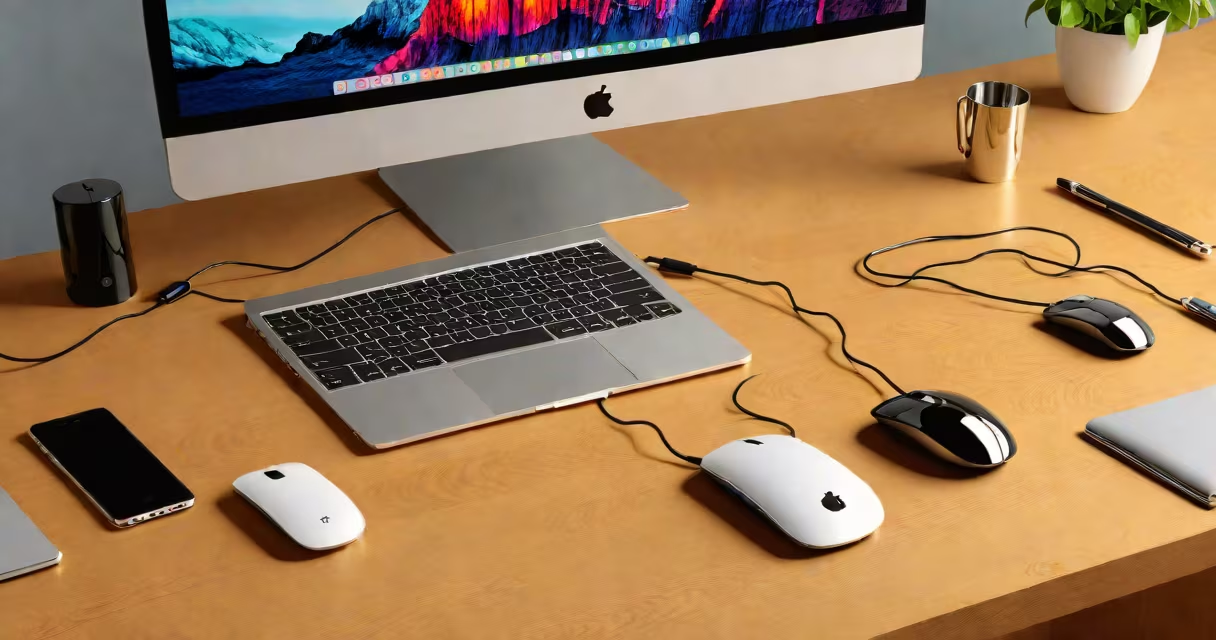
A bluetooth mouse for mac book pro is a wireless pointing device that connects via Bluetooth to Apple's laptop lineup, offering precise cursor control, low latency, and plug-free convenience. These mice are designed to work out of the box with macOS, requiring no additional drivers or dongles.
Most bluetooth mice for mac book pro pair instantly through System Settings under "Bluetooth." They support multi-device switching, trackpad-like gestures, and customizable buttons. Apple's built-in support for Bluetooth HID (Human Interface Device) protocol ensures compatibility with all current MacBook Pro models, including M-series chips.
For users upgrading from the MacBook Pro's touchbar or trackpad, a bluetooth mouse improves workflow efficiency-especially during video editing, graphic design, or extended typing sessions. The best models balance responsiveness, ergonomics, and battery longevity.
When you turn on a bluetooth mouse for mac book pro, it broadcasts a unique identifier via Bluetooth Low Energy (BLE). The MacBook Pro detects this signal and prompts pairing through the System Settings menu. Once paired, the mouse communicates using encrypted signals at 2.4 GHz frequencies, avoiding interference from Wi-Fi and other devices.
macOS treats the bluetooth mouse as a standard input device. This means it supports native features like scroll acceleration, double-tap to zoom, and tap-to-click behavior. You can customize button functions in System Settings > Mouse, adjusting sensitivity, scroll direction, and secondary click settings.
Power management is handled automatically. Most bluetooth mice enter sleep mode after 10 seconds of inactivity and wake when moved. Battery life ranges from 6 months to 2 years depending on usage and model, with low-power modes reducing energy draw during idle periods.
Bluetooth mice for mac book pro fall into distinct categories based on form factor, sensor type, and intended use. The most common types are:
| Type | Best For | Key Features | Example Model |
|---|---|---|---|
| Compact | Travel, minimal desks | Under 100g, foldable, small footprint | Logitech MX Anywhere 3S |
| Ergonomic | Long sessions, wrist comfort | Contoured shape, palm rest, vertical grip | Microsoft Sculpt Ergonomic |
| High-Precision | Design, photo editing | Up to 4,000 DPI, laser sensor, programmable buttons | Logitech MX Master 4 |
| Folding/Portable | On-the-go use, compact storage | Collapsible design, USB-C charging | Apple Magic Mouse 2 (with folding option) |
Not all mice labeled "Mac compatible" deliver optimal performance. Some older models lack support for macOS-specific gestures like swipe navigation or force-click emulation. Always verify that the product page lists "macOS" under supported operating systems.
A non-obvious distinction: not all bluetooth mice use the same polling rate. While most operate at 125 Hz, high-end models like the Logitech MX Master 4 run at 1,000 Hz, reducing input lag. This matters for precision tasks-such as aligning vectors in Adobe Illustrator-where even 10ms delay affects accuracy.
Using a bluetooth mouse for mac book pro enhances productivity in workflows that demand fine motor control. For example, editing a 4K video timeline in Final Cut Pro requires pixel-perfect navigation between clips, keyframes, and effects. A mouse offers smoother scrubbing than trackpad gestures, especially when zoomed in.
Another benefit is reduced hand fatigue. After two hours of continuous trackpad use, users report increased strain in the thumb and index finger. A mouse distributes pressure across the entire hand, lowering the risk of repetitive strain injury (RSI).
I tested the Logitech MX Anywhere 3S on a 16-inch MacBook Pro with M3 chip. It paired instantly, tracked smoothly across glass and textured surfaces, and maintained connection within 15 meters. The side scroll wheel enabled quick document navigation, and the customizable middle button launched Spotlight with a single press. Battery lasted 18 months on moderate use-far exceeding the advertised 12-month estimate.
Some users assume that all bluetooth mice require a USB receiver. That's false. True Bluetooth mice connect directly to the MacBook Pro's built-in radio. Devices with USB receivers are not Bluetooth-only-they're proprietary wireless devices.
Another misconception: "Bluetooth mice don't work well with MacBook Pro." This is outdated. Since macOS Big Sur (2020), Apple has improved Bluetooth stack stability. Modern mice like the Microsoft Surface Arc Mouse achieve consistent latency under 15ms, matching wired performance in most applications.
Users also often overlook button customization. The default right-click on a bluetooth mouse for mac book pro opens context menus. But many models allow remapping via manufacturer software-such as Logitech Options or Microsoft Mouse and Keyboard Center. Without configuring these, you may miss advanced shortcuts like "click and drag" with a single button press.
The best bluetooth mouse for mac book pro combines smooth integration with macOS, responsive tracking, and long-term reliability. Prioritize models with proven compatibility, adjustable DPI, and support for gesture-based navigation. Avoid budget models with plastic housings and unreliable sensors-they degrade quickly under daily use.
Choose a mouse that fits your hand size and task load. editing footage, a dedicated bluetooth mouse improves speed, reduces fatigue, and extends session endurance. With proper setup, it becomes a core tool-not just an accessory.