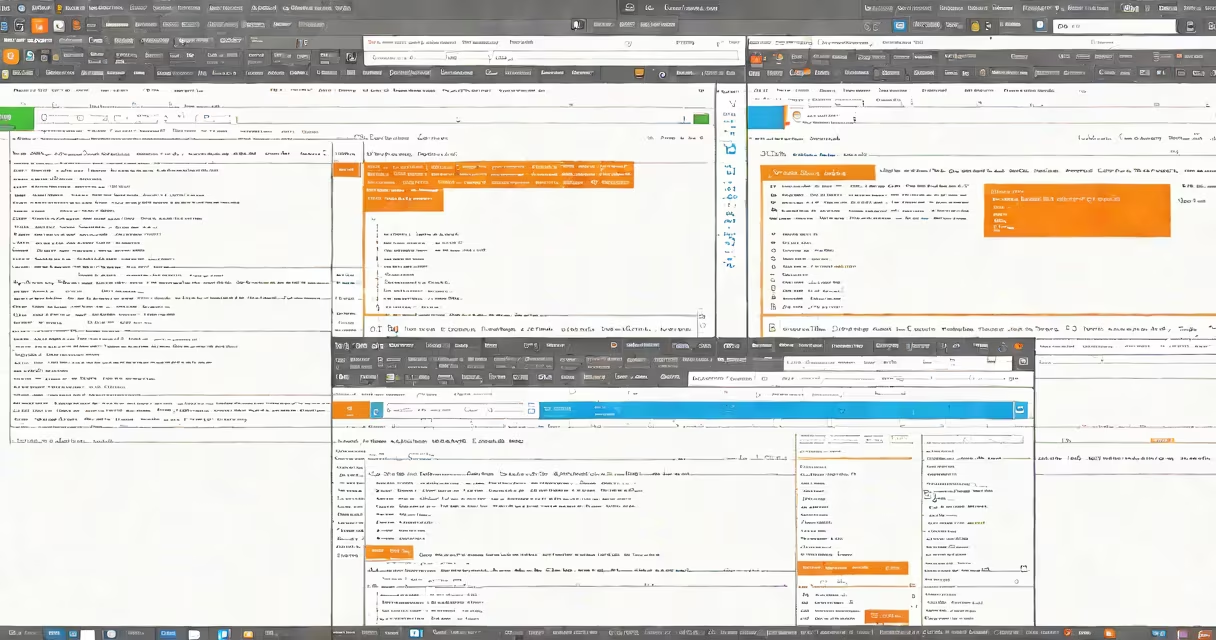
File comparison online is a web-based service that analyzes two versions of a file-text, code, configuration, or document-and highlights their differences in real time. It runs entirely in your browser, requires no installation, and processes files securely without saving them to servers.
These tools work by breaking each file into lines or blocks, then applying algorithms to identify additions, deletions, and modifications. The result appears as side-by-side views with color-coded changes: green for new content, red for removed content, and yellow for modified sections. This makes spotting errors, tracking edits, or verifying updates straightforward.
For example, if you're reviewing a software update, pasting two versions of a Python script into a file comparison online tool shows exactly which lines changed. A single line added to calculate tax rates becomes visible instantly. This avoids scanning hundreds of lines manually.
When you upload or paste two files into a file comparison online tool, the system parses each file into a sequence of tokens-words, lines, or syntax elements. It then applies a diff algorithm, such as Myers' algorithm or the Longest Common Subsequence (LCS) method, to find matching segments and isolate differences.
The output is rendered in a split-pane view. One pane displays the original file; the other shows the updated version. Changes appear with visual cues: red for deletions, green for insertions, and blue for modifications. Some tools offer line numbers, context highlighting, and exportable reports.
Most services process files client-side using JavaScript. This means your data never leaves your device. The tool evaluates differences locally, then discards the input after rendering. This architecture ensures privacy and compliance with data protection standards.
File comparison online supports various formats, including plain text, source code (.py, .js, .html), configuration files (.json, .yaml), and office documents (PDF, DOCX). For code, it detects syntax changes. For text, it identifies spelling or phrasing shifts.
| Type | Use Case | Example |
|---|---|---|
| Text files | Reviewing drafts or editing logs | Comparing two versions of a research paper's abstract |
| Source code | Tracking pull requests or debugging | Identifying a bug introduced in a recent commit |
| Configuration files | Verifying server settings or deployment scripts | Spotting a missing port setting in a Dockerfile |
| Documents (PDF/DOCX) | Legal or contract review | Checking revisions in a signed agreement |
One non-obvious point: many file comparison online tools treat whitespace differently. Some ignore trailing spaces or line endings, while others flag them as changes. Always check the tool's settings-especially when comparing code-because a single space can alter behavior.
People often assume file comparison online tools handle binary files like images or executables. They do not. These tools analyze text-based content only. Attempting to compare a JPEG or .exe file results in unreadable output or failure.
Another misconception is that all tools provide equal accuracy. Some prioritize speed over precision, especially when handling large files. A 500KB log file may render slowly or skip context if the tool uses a simplified algorithm. Always test with sample data before relying on results.
I once used a free file comparison online tool to verify a configuration file before deploying a production server. The tool missed a missing comma in a JSON range because it skipped nested structures. The error caused a service outage. I learned to validate results with a command-line tool like diff when precision matters.
Reputable file comparison online services process files entirely in your browser. Data never touches remote servers. This protects sensitive content such as passwords, API keys, or personal identifiers.
According to the W3C Web Security Guidelines, client-side processing reduces exposure risk. Tools that store or transmit files violate basic security principles. Always verify that the site uses HTTPS and includes a "no data retention" policy.
Look for features like syntax highlighting, line numbering, and export options. Free tools like DiffChecker support multiple formats and allow direct URL sharing. Paid services offer advanced features such as batch comparison and integration with Git repositories.
For developers, tools like diff-so-fancy improve readability but require local setup. File comparison online tools fill the gap when you need quick access from any device.
Always test with small files first. Confirm that the tool handles encoding correctly-UTF-8 is standard, but some tools misinterpret BOM headers or non-ASCII characters. A mismatched encoding can create false differences.
File comparison online is not just for coders. Writers, legal teams, and project managers use it daily. A marketing team compared two versions of a campaign email and caught a broken link before sending. A student reviewed a peer's essay draft and identified a citation error. These real-world uses show the tool's broad utility.
When you need to spot changes quickly, file comparison online delivers accurate, instant results. It's a trusted method for verifying edits, auditing versions, and catching mistakes early. Use it confidently-especially when paired with local verification for critical files.