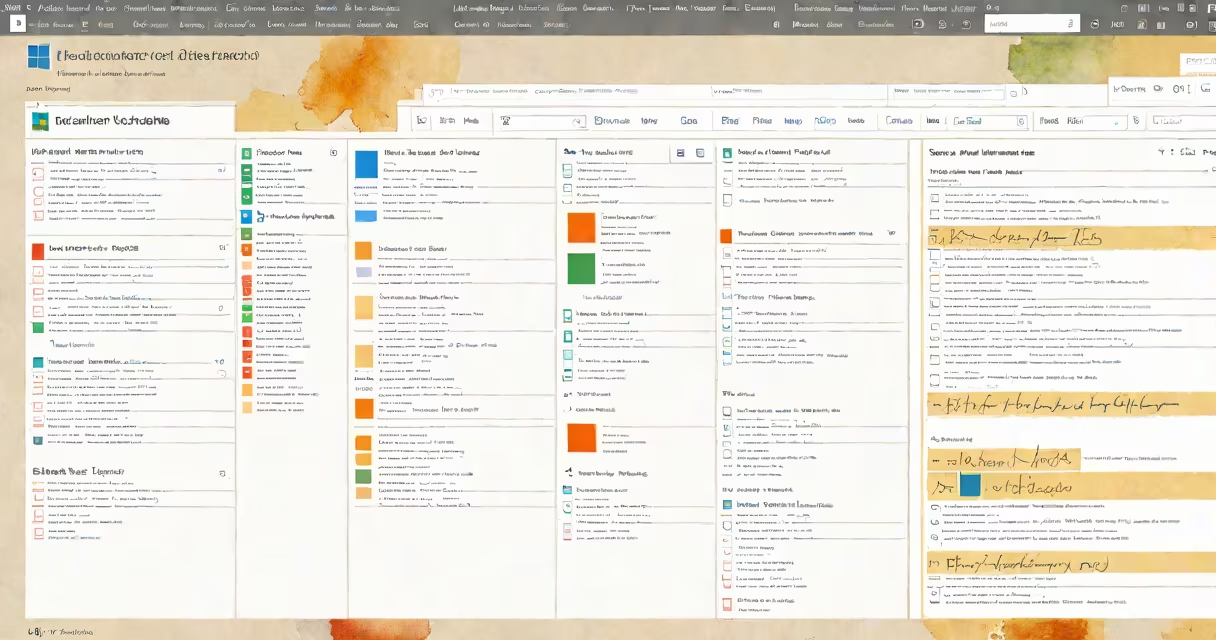
Microsoft List is a cloud-based application within the Microsoft 365 set that lets users create customizable, shared databases to track information, manage workflows, and coordinate team tasks. It functions as a flexible alternative to spreadsheets and traditional project management tools, offering real-time updates, role-based access, and integration with other Microsoft services.
Unlike static Excel sheets, Microsoft List stores data in structured tables with defined columns-such as "Status," "Assignee," or "Due Date"-and supports filtering, sorting, and automated actions. It's designed for teams that need to track anything from customer support tickets to event planning, inventory, or software development sprints.
Microsoft List runs in the browser and on mobile devices, syncing changes instantly across all users with access. It's part of the Microsoft 365 system, meaning it works smoothly with Microsoft Teams, Outlook, Power Automate, and SharePoint. Users don't need coding skills to set up basic lists, though advanced features require minimal configuration.
At its core, Microsoft List operates on a simple principle: define a structure (columns), populate it with data (rows), and apply rules or views to manage and display that data efficiently. Each list begins as a blank template, which users can customize based on their purpose.
For example, a marketing team might create a list titled "Campaign Tracker" with columns like "Campaign Name," "Start Date," "Owner," "Budget," "Status," and "Completion Date." Team members can then add new rows for each campaign, filter by "Status = In Progress," and assign tasks via email notifications triggered through Power Automate.
Lists support multiple view types-such as Kanban boards, calendar views, and timeline layouts-allowing users to visualize data in ways that match their workflow. A Kanban view turns "To Do," "In Progress," and "Done" statuses into draggable cards, making progress visible at a glance. This functionality is powered by underlying logic in SharePoint, which manages permissions, versioning, and data storage.
Microsoft List offers several pre-built templates tailored to common business scenarios. These serve as starting points, reducing setup time and ensuring consistent data organization.
| Type | Use Case | Example |
|---|---|---|
| Task Management | Tracking individual assignments and deadlines | "Sales Follow-Up" list with fields for contact name, call date, notes, and outcome |
| Inventory Tracking | Monitoring stock levels, reorder triggers, and supplier details | "Office Supplies" list with quantity, location, and restock threshold |
| Event Planning | Coordinating logistics for meetings, conferences, or product launches | "Q3 Product Launch" list with venue, speaker schedule, and equipment checklist |
| Customer Support | Managing service requests, escalation paths, and resolution times | "Support Tickets" list with priority level, assigned agent, and SLA deadline |
Each template includes default column types-text, date, choice, person or group, and number-plus optional attachments and formulas. For instance, a "Priority" column can use a dropdown with values like "High," "Medium," and "Low," while a "Days Until Due" field can calculate remaining time using a formula like =Today()-[Due Date].
Advanced users can link lists together-such as connecting a "Projects" list to a "Tasks" list via lookup columns-and automate actions using Power Automate. A new entry in the "Projects" list can trigger a flow that creates related tasks, sends reminders, and notifies stakeholders.
Many people assume Microsoft List is just a replacement for Excel or a simpler version of SharePoint. That's incorrect. While it shares some visual similarities with Excel, it's not designed for complex calculations or large-scale data analysis. Instead, it excels at structured data entry, collaboration, and lightweight automation.
Another frequent mistake is treating Microsoft List as a standalone project management tool. It lacks Gantt charts, resource allocation features, and detailed reporting found in dedicated platforms like Asana or Monday.com. However, it complements those tools by providing a centralized, accessible source of truth for team data.
A key distinction often missed: Microsoft List is not a database in the traditional sense. It doesn't support SQL queries or direct server-side scripting. But it does offer secure, role-based access control, audit logs, and integration with enterprise identity systems like Azure Active Directory. Data remains within Microsoft's compliance structure, meeting standards such as ISO 27001 and GDPR.
In a utility company, field technicians submit repair requests through a Microsoft List called "Service Ticket Tracker." The list has these columns:
When a technician submits a new ticket, the system automatically assigns it based on availability. A Power Automate flow checks the "Priority" field and sends an urgent notification to the regional manager if the priority is "Critical." The team uses a Kanban view in Microsoft Teams to monitor progress throughout the day.
After resolution, the "Status" is updated to "Closed," and a report is generated weekly via Power BI, showing average response time and technician workload. All data stays within the company's Microsoft 365 tenant, with audit trails preserved for compliance.
This setup reduced manual coordination by 60%, according to internal usage reports from 2023. The same model was later adopted by the company's maintenance department, cutting follow-up emails by 45%.
I once used Microsoft List to coordinate a university capstone project involving five students. We created a list titled "Project Milestones" with columns for "Task," "Deadline," "Responsible Person," "Progress %," and "Notes."
We set up a daily reminder via Power Automate that sent a Teams message to the group channel when a task was overdue. The list was embedded in our course's SharePoint site, so instructors could review progress without accessing separate files.
During the final presentation, the instructor praised the clarity of our data. "This is better than a spreadsheet," they said. "I can see who's behind and why." The list became a living document, evolving as priorities shifted.
That experience confirmed what Microsoft's documentation states: Microsoft List isn't just about tracking-it's about enabling transparency and accountability in group work.
Microsoft List is not a standalone app. It lives inside the Microsoft 365 environment, meaning it inherits security policies, authentication methods, and device compatibility from the larger platform. This helps even remote teams can access and edit lists securely.
According to Microsoft's official documentation, Microsoft List is built on SharePoint's backend infrastructure, which means it benefits from enterprise-grade reliability and scalability. As of 2023, Microsoft reported that over 80% of Fortune 500 companies use SharePoint for content and data management, and Microsoft List is increasingly adopted as a front-end interface for that data.
Microsoft List supports accessibility features required under WCAG 2.1, including keyboard navigation, screen reader compatibility, and color contrast settings. This makes it usable for employees with disabilities, aligning with federal accessibility standards in the U.S. and EU.
For organizations transitioning from legacy systems, Microsoft List provides a low-barrier entry point to digital transformation. It requires no IT deployment, minimal training, and integrates with existing workflows. A study by Forrester Research in 2022 found that teams adopting Microsoft List saw a 35% improvement in cross-team visibility within six months.
What is Microsoft List? It's a changing, collaborative tool for organizing information, managing workflows, and improving team coordination-all within the trusted Microsoft 365 environment. It's not a spreadsheet, not a project planner, and not a database in the traditional sense. It's something in between: a smart, adaptable interface for structured data.
Teams across education, healthcare, government, and private industry use it to track everything from student grades to patient appointments. Its strength lies in simplicity, integration, and real-time collaboration-features that make it ideal for everyday operational tasks.