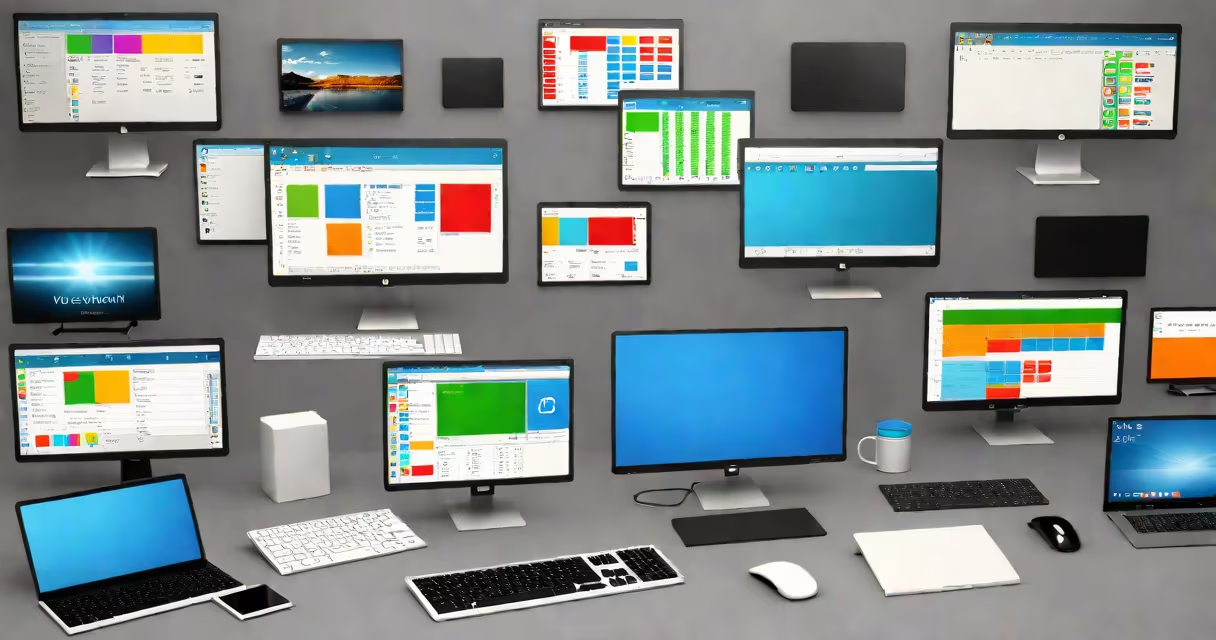
Different computer software programs are sets of instructions that tell a computer what to do. They range from operating systems managing hardware to specialized tools like word processors and accounting software. These programs run on devices from smartphones to servers.
Software exists because computers cannot act without direction. A program is a sequence of commands written in code that executes tasks. Without software, a computer is just metal and plastic. Different computer software programs serve distinct roles based on their design and purpose.
For example, Microsoft Windows manages how your laptop handles input, displays graphics, and runs other applications. Meanwhile, Adobe Photoshop edits images using specific algorithms. Both are different computer software programs, but they solve entirely different problems.
Each program operates through a layered process. When you open a file in a word processor, the software checks the file format, loads the data into memory, processes formatting rules, and renders text on screen. This chain happens in milliseconds.
Programs communicate with hardware via drivers-small pieces of software that translate high-level commands into signals the physical components understand. For instance, when you click "print," the application sends a request to the printer driver, which converts it into electrical pulses sent to the printer's circuit board.
Modern programs often rely on APIs (Application Programming Interfaces) to share data. A weather app might pull current conditions from a server using an API. The app doesn't need to know how the server stores data-it only needs to send a request and interpret the response.
Computer software falls into three main categories: system, application, and utility. Each performs a unique function within the computing environment.
| Type | Purpose | Examples | Common Users |
|---|---|---|---|
| System software | Manages hardware and provides a platform for other software | Operating systems (Windows, macOS, Linux), device drivers | All users, developers, IT staff |
| Application software | Performs specific tasks for end-users | Microsoft Word, Zoom, Spotify, AutoCAD | Students, professionals, creatives |
| Utility software | Supports maintenance and optimization of system performance | Antivirus tools, disk cleanup utilities, backup software | Home users, network administrators |
Some programs blur category lines. A firewall may be classified as utility software but also acts as a security layer for system operations. Similarly, cloud-based suites like Google Workspace combine application and system functions.
Understanding these types helps avoid confusion. For instance, installing antivirus software doesn't replace your operating system-it complements it. Misclassifying tools leads to poor troubleshooting choices.
Every digital task relies on different computer software programs. A student uses a word processor to write essays, a spreadsheet program to track grades, and a web browser to research topics. Each tool serves a specific role in completing academic work.
In business, specialized software streamlines operations. Accounting software programs automate invoicing, track expenses, and generate financial reports. According to the National Bureau of Economic Research, companies using automated accounting systems reduce errors by up to 62% compared to manual methods.
For creative professionals, software defines output quality. Video editors use DaVinci Resolve to color-grade footage, while musicians rely on Digital Audio Workstations (DAWs) like Ableton Live to mix tracks. These tools aren't interchangeable-they're designed for precision in their domains.
A real-world example: a small bakery uses inventory management software to track flour and sugar usage. The program alerts staff when stock drops below 10 pounds. Without this tool, the owner would manually check shelves daily-a process that takes 45 minutes per day. With automation, time saved totals 15 hours monthly.
Many people assume all software is the same. They treat a game, a photo editor, and a database program as interchangeable. But each is engineered for a narrow set of inputs and outputs.
Another misconception is that free software lacks quality. Open-source tools like GIMP (image editing) and LibreOffice (productivity set) match commercial alternatives in capability. GIMP supports layers, filters, and scripting-features found in Adobe Photoshop. The difference lies in licensing, not function.
There's also confusion between software and hardware. A keyboard is hardware. The program that translates keystrokes into letters is software. Mistaking them causes frustration during troubleshooting. If a key doesn't respond, checking the keyboard cable won't fix a corrupted input driver.
One non-obvious fact: many programs use hidden dependencies. When you install a video player, it may require a codec-a small piece of software that decodes audio or video streams. Without the correct codec, playback fails even if the player works fine. These dependencies aren't always visible during installation.
I once spent two hours trying to play a .mkv file on a new laptop. The media player showed a blank screen. After checking logs, I discovered the missing libavcodec library. Installing it resolved the issue instantly. This shows how critical underlying software is-even when invisible.
Even within the same category, programs differ. Two spreadsheet programs may both calculate totals-but one supports real-time collaboration, the other doesn't. One may export to PDF automatically; the other requires manual steps.
Consider two accounting software programs: QuickBooks and Wave. Both handle bookkeeping, but QuickBooks offers payroll integration and tax filing support. Wave focuses on simplicity and charges lower fees. Choosing between them depends on business size and complexity-not just price.
When selecting different computer software programs, evaluate features against actual workflows. A graphic designer needing vector editing should choose Affinity Designer over basic tools. A researcher analyzing large datasets benefits from Python with libraries like Pandas, not Excel.
Understanding different computer software programs begins with recognizing their roles. System software keeps machines running. Application software enables productivity. Utility software maintains health and speed. Together, they form the foundation of modern computing.