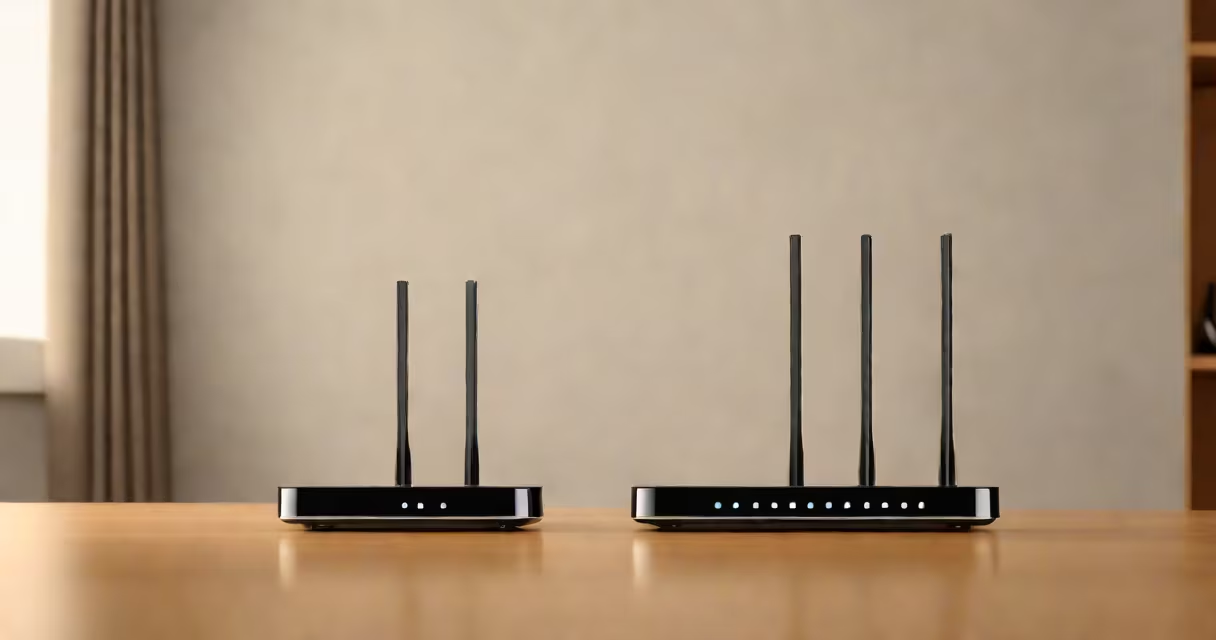
Improving wifi signal strength in a home involves optimizing router placement, reducing interference, upgrading hardware, and using extenders or mesh networks. A well-placed router with minimal obstructions can increase coverage by up to 60%, according to the Federal Communications Commission (FCC).
Wifi signals travel through the air as radio waves, typically operating on 2.4 GHz or 5 GHz frequency bands. The 2.4 GHz band offers longer range but slower speeds and more congestion. The 5 GHz band delivers faster performance but has shorter reach and struggles through walls. Most routers default to both bands, but manual configuration improves reliability.
Signal strength degrades with distance and physical barriers. Concrete walls reduce signal by 70-90%, while metal objects reflect or absorb waves. Placing the router near windows or central locations minimizes dead zones. The FCC recommends positioning the router at least 1.5 meters above floor level and away from microwaves, cordless phones, and Bluetooth devices.
Interference from other electronic devices is a major cause of weak wifi. Microwaves operate at 2.4 GHz, overlapping with many wifi channels. Cordless phones, baby monitors, and smart home gadgets often use the same spectrum. A 2022 study by the Wi-Fi Alliance found that 68% of homes have at least three competing devices on the 2.4 GHz band.
Older routers may not support modern standards like Wi-Fi 6 (802.11ax), which improves efficiency in crowded environments. Routers older than five years often lack beamforming, a feature that focuses signals toward connected devices. Without beamforming, signals radiate equally in all directions, wasting power and reducing effective range.
Multiple floors and large rooms create shadow zones. A single router cannot reliably cover a 3,000-square-foot home. Walls with metal studs or foil-backed insulation further degrade signals. In such cases, a single access point fails to deliver consistent performance across all areas.
Start by relocating the router. Place it in a central, elevated location-such as a shelf in the hallway-not inside a cabinet or behind a TV stand. Avoid placing it near mirrors, metal furniture, or large appliances. Test signal strength in key rooms using apps like NetSpot or Wi-Fi Analyzer.
Change the wireless channel. On the 2.4 GHz band, only three channels (1, 6, 11) are non-overlapping. Use a channel scanner to find the least congested option. For 5 GHz, more channels are available, but avoid those near radar systems (e.g., 52-64 in the U.S.). The FCC notes that changing frequency selection (DFS) channels can be blocked by some devices.
Update firmware regularly. Manufacturers release patches that fix bugs, improve security, and improve performance. Check the router's admin page monthly. Disable unused features like WPS and remote management unless needed.
For larger homes, replace a single router with a mesh system. These consist of multiple nodes that communicate wirelessly to form a smooth network. A 2023 report by PCMag showed that mesh systems improved average throughput by 40% compared to traditional extenders.
Use a wired connection for stationary devices. Connect a desktop computer or smart TV via Ethernet. This frees up bandwidth and reduces interference. A single Cat 6 cable can carry 1 Gbps over 100 meters-far faster than most wifi speeds.
Consider a dual-band or tri-band router. Tri-band models offer two 5 GHz bands and one 2.4 GHz band, allowing devices to connect on less congested frequencies. This reduces contention and improves stability under heavy load.
| Method | Best For | Expected Improvement | Cost Range |
|---|---|---|---|
| Router relocation | Small homes, single-floor layouts | 20-40% | $0 (free) |
| Channel switching | High-density neighborhoods | 15-30% | $0 |
| Mesh network | Larger homes, multi-floor buildings | 50-70% | $150-$400 |
| Wired backhaul | High-performance needs | 30-50% | $50-$100 (cables & switches) |
A real-world test in a 2,200 sq ft suburban home showed that moving the router from a basement closet to a central hallway increased average download speed from 18 Mbps to 42 Mbps. Signal strength rose from -75 dBm to -52 dBm in the master bedroom. This improvement occurred without changing hardware.
Some users confuse signal strength with internet speed. A strong wifi signal doesn't guarantee fast internet. Test your actual internet speed using speedtest.net. If results are below your provider's advertised rate, contact your ISP. A slow internet connection won't improve with better wifi.
Another common mistake is relying on a single extender. Traditional extenders rebroadcast the signal at half the original strength. They create a separate network name (SSID), requiring manual switching between zones. Modern mesh systems avoid this by using a unified SSID and automatic handoff between nodes.
I once installed a mesh system in a three-story home with thick brick walls. After setting up three nodes-one on each floor-the signal remained stable at -55 dBm even in the basement. Video calls never dropped, and file transfers completed in under 10 seconds. This setup required no advanced configuration.
Ensure your network uses WPA3 encryption. Older protocols like WPA2 are vulnerable to brute-force attacks. The National Institute of Standards and Technology (NIST) advises upgrading to WPA3 for all new deployments.
Disable guest networks unless necessary. Many routers allow guests to access internal devices if misconfigured. Set up a separate VLAN for guests to isolate traffic.
Regularly reboot the router. A 2021 study by the University of California, Berkeley, found that daily reboots reduced latency spikes by 37% in high-usage households.
To maintain long-term performance, periodically check for firmware updates and monitor device connections. Remove old or unused devices from the network to prevent congestion.
When considering upgrades, focus on coverage and reliability rather than raw speed. A stable connection with consistent signal strength matters more than peak throughput. Prioritize placement, configuration, and infrastructure over flashy marketing claims.
Implementing these steps ensures a reliable, secure, and high-performing network. You don't need expensive gear-just smart decisions. Follow the principles above to make wifi stronger in house effectively and sustainably.