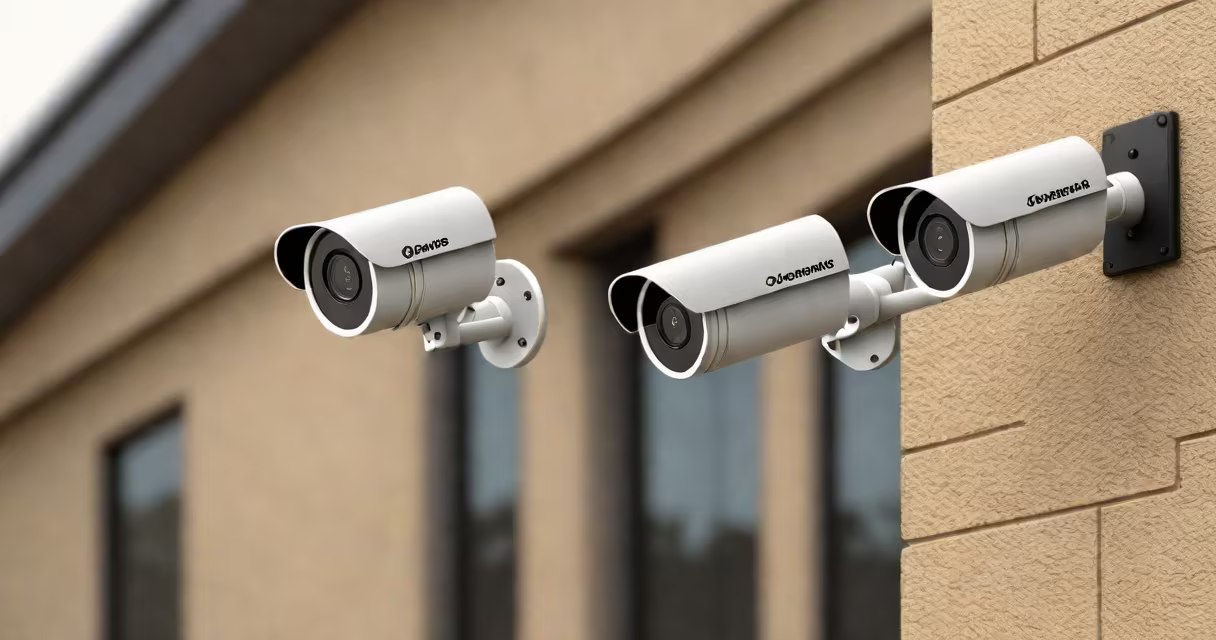
A home surveillance camera system uses networked video cameras to monitor property remotely, providing real-time footage and recorded evidence of activity. The system connects to a local network or cloud service, enabling access via smartphone, tablet, or computer.
Setting up a home surveillance camera system begins with choosing the right equipment based on coverage needs, lighting conditions, and storage preferences. Most systems use IP cameras that transmit video over Wi-Fi or Ethernet. These connect to a central recording device such as a DVR (digital video recorder) or NVR (network video recorder), or stream directly to cloud storage.
Placement matters. Cameras should cover entry points like doors and windows, driveways, and backyard areas. A single camera may miss blind spots. For full coverage, use multiple cameras with overlapping fields of view. Indoor models often have wide-angle lenses; outdoor units require weatherproofing and night vision.
Each camera captures video using a CMOS sensor and sends it through a wired or wireless connection to a storage device. The signal travels over your home's router via Wi-Fi or Ethernet. The receiving unit-either a physical recorder or a cloud server-stores the footage and allows playback or remote viewing.
Modern systems support motion detection. When movement is detected, the camera triggers recording or sends a notification to your phone. This reduces unnecessary data and saves bandwidth. Some models use AI to distinguish between people, animals, and vehicles, reducing false alarms.
For example, a Ring Stick Up Cam Pro detects motion within a 10-meter range and sends alerts to your phone within 3 seconds. It records 1080p video and stores clips locally on a microSD card or in the cloud. You can view live feeds through the Ring app while away from home.
Home surveillance systems fall into three categories: wired, wireless, and hybrid. Wired systems offer stable connections and higher bandwidth but require drilling and running cables. Wireless systems are easier to install but depend on consistent Wi-Fi strength. Hybrid systems combine both, allowing wired cameras to connect to a wireless NVR.
| Type | Installation Difficulty | Best For | Storage Option |
|---|---|---|---|
| Wired | High | Permanent setups, high-security zones | DVR/NVR, cloud |
| Wireless | Low | Rental properties, temporary monitoring | Cloud, SD card |
| Hybrid | Medium | Large homes needing flexibility | DVR/NVR, cloud |
Cameras come in various forms: bullet, dome, PTZ (pan-tilt-zoom), and doorbell models. Bullet cameras are long and cylindrical, ideal for outdoor perimeter monitoring. Dome cameras blend into ceilings and are harder to tamper with. PTZ cameras allow remote control of direction and zoom, useful for tracking moving objects.
For example, a Reolink Argus 3 Pro uses solar power and Wi-Fi to operate outdoors without wiring. It features 2K resolution, infrared night vision, and a 130-degree field of view. The camera streams to a mobile app and supports local storage via microSD.
Home surveillance camera systems prevent break-ins, deter trespassers, and document incidents. According to the FBI's Crime Data Explorer, homes with visible security cameras see a 30% reduction in burglary attempts. The presence of cameras acts as a psychological deterrent.
They're also used to monitor pets, elderly family members, or children during school hours. A parent in Portland reported catching a delivery person leaving packages unattended after installing a camera near the front door. The footage led to a formal complaint and improved delivery practices.
Businesses use similar systems for employee oversight and customer safety. However, privacy laws limit recording in private spaces. In the U.S., the FTC advises placing signs indicating video monitoring and avoiding recording in bathrooms or changing rooms.
Many assume that all cameras record continuously. In reality, most systems only record when triggered by motion or sound. Continuous recording consumes storage quickly and increases power usage. A 1080p camera streaming 24/7 uses about 1 GB of data per day-enough to exceed typical home internet plans.
Another error is placing cameras too close to reflective surfaces. Glare from glass doors or shiny walls distorts images. Position cameras at a 45-degree angle to avoid direct reflections. Test placement at night using the camera's preview mode.
Some users think cloud storage is always secure. While major providers like Google Nest and Arlo encrypt data, weak passwords or reused credentials lead to breaches. A 2023 report by the Cybersecurity and Infrastructure Security Agency (CISA) found that 62% of hacked smart devices had default or easily guessable passwords.
One key distinction: not all "wireless" cameras are truly independent. Many still rely on a nearby power outlet. True wireless cameras run on batteries or solar panels and send data wirelessly. They're portable but require regular maintenance.
Consider a homeowner in Austin setting up a four-camera system. They choose:
Steps:
The entire process took under 90 minutes. The homeowner accessed live feeds from work and reviewed a suspicious package drop-off that occurred overnight.
When selecting a system, prioritize reliability over price. A $50 camera may fail after six months. A $150 model with a 2-year warranty and solid reviews lasts longer and performs better in low light.
Understanding how to set up a home surveillance camera system ensures effective protection and peace of mind. Choose cameras with proven performance, proper placement, and secure access to avoid gaps in coverage or privacy risks.