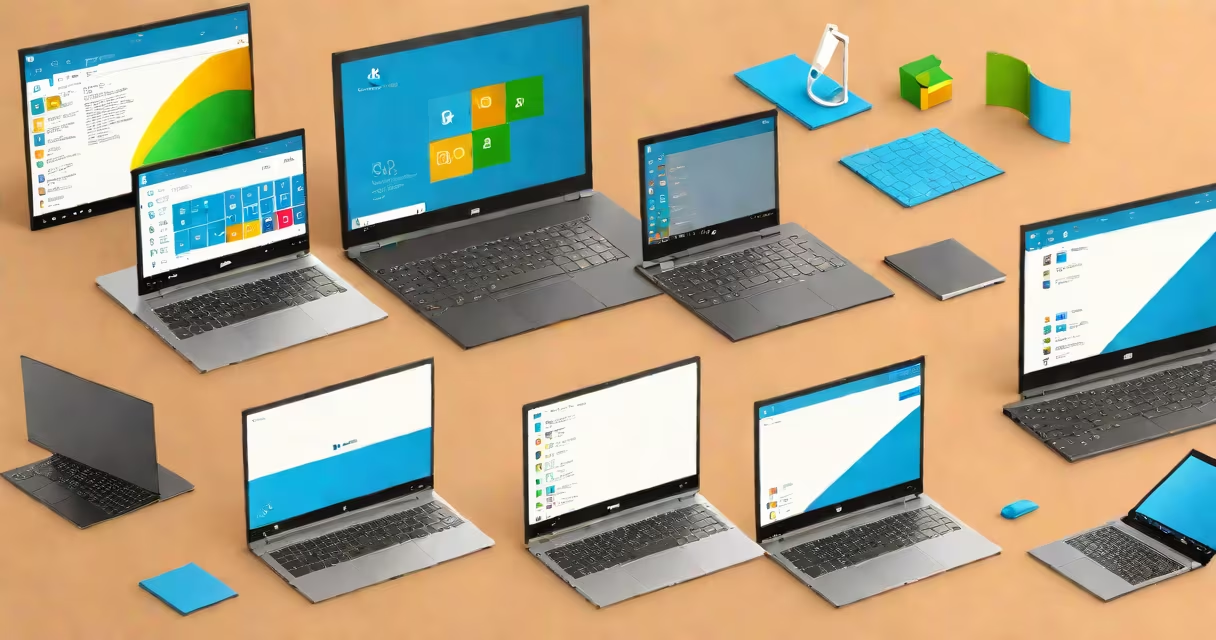
Windows 10 succeeded Windows 8, which shipped in January 2012 and was designed for touch-first devices. It introduced the Start Screen with live tiles, replaced the traditional Start menu, and emphasized a unified experience across PCs, tablets, and phones.
Microsoft released Windows 8 after Windows 7, which had been the dominant desktop OS since 2009. Windows 7 offered stability, broad hardware support, and a familiar interface centered around the Start button. Its success made the shift to Windows 8 controversial. The new design prioritized touch gestures and Metro-style apps, alienating many desktop users who preferred the legacy interface.
Windows 8's core changes included a new app model based on Universal Windows Platform (UWP), a lock screen with notifications, and integration with Microsoft accounts. These features were intended to unify experiences across devices, but they disrupted workflows on traditional desktops. The lack of a visible Start button became a major point of criticism, especially among enterprise users.
Windows 8 ran on x86 and ARM processors, supporting both legacy Win32 applications and new UWP apps. The operating system booted directly to the Start Screen-a full-screen interface with resizable tiles displaying changing content like weather, email, and news.
To access the desktop, users had to swipe from the right edge of the screen, click the desktop tile, or press the Windows key + D. This navigation required learning new gestures, especially on non-touch devices. The Charms bar-accessed by swiping from the right-offered quick access to search, share, start, devices, and settings.
Modern apps were sandboxed, meaning they ran in isolated environments with limited access to system resources. They could not be minimized to the taskbar and had to be launched from the Start Screen. This separation between desktop and modern apps created confusion for users accustomed to a single workspace.
Microsoft released multiple editions of Windows 8 to serve different markets:
| Version | Target Audience | Key Features |
|---|---|---|
| Windows 8 | General consumers | Full desktop, Start Screen, Modern UI apps |
| Windows 8 Pro | Businesses, power users | BitLocker encryption, Hyper-V virtualization, Remote Desktop |
| Windows 8 RT | ARM-based tablets | Only ran Modern UI apps; no support for legacy Win32 software |
Windows 8 RT was particularly restrictive. It ran only on ARM processors and could not execute traditional desktop programs. This limited its appeal, despite being bundled with Surface RT tablets. The inability to run popular software like Adobe Photoshop or older games made it unsuitable for most users.
Enterprises adopted Windows 8 for its improved security features. BitLocker, Secure Boot, and enhanced Group Policy controls strengthened device protection. The integration with Azure Active Directory enabled better management of hybrid cloud environments.
For consumers, Windows 8 offered faster boot times-up to 30% quicker than Windows 7 on compatible hardware. It also included built-in support for Wi-Fi Sense, automatic network sharing, and improved battery life on mobile devices.
Despite these gains, adoption lagged. A 2013 survey by Net Applications showed that Windows 8 usage peaked at 16.3% in early 2014 before declining. Many users reverted to Windows 7 or upgraded directly to Windows 10 after its release.
Many people assume Windows 8 was a failure. That's incorrect. It reached 100 million activations within six months of launch, according to Microsoft's internal reports. However, user satisfaction remained low due to poor discoverability of basic functions.
Another misconception is that Windows 8 removed the Start menu entirely. It did not. The Start Screen replaced it, but the functionality existed under a different form. Users could still access programs via the Apps view or by pressing the Windows key. Third-party tools like Start8 and Classic Shell later restored the traditional Start menu.
A lesser-known fact: Windows 8 introduced the concept of "live tiles" to mainstream computing. Prior to this, live tiles were used in Windows Phone 7. Their inclusion in Windows 8 marked Microsoft's attempt to unify its product system across platforms. This strategy laid the groundwork for Windows 10's Continuum feature, which allows devices to switch between tablet and desktop modes smoothly.
In 2013, a mid-sized accounting firm in Austin, Texas, deployed Windows 8 on 120 workstations. The IT team reported a 40% reduction in login time compared to Windows 7, thanks to faster startup and reduced driver load. However, employees struggled with navigation-especially those using mice and keyboards.
After two months, 68% of staff requested a rollback. The IT department responded by installing a custom registry tweak that re-enabled the Start menu via a hidden option. They also rolled out training sessions focused on gesture navigation. By month four, productivity stabilized, but the firm delayed full rollout until Windows 10 was available.
This case illustrates how user experience gaps can undermine even technically superior releases. Microsoft acknowledged the feedback and adjusted Windows 8.1, released in October 2013, which reintroduced the Start button (though it led to the Start Screen).
Windows 8.1 addressed many complaints. It allowed users to boot directly to the desktop, added a customizable Start Screen, and brought back the Start button. But it didn't resolve the fundamental tension between legacy desktop workflows and modern touch interfaces.
When Windows 10 launched in July 2015, it combined the best of both worlds. The Start menu returned with live tiles, the desktop remained central, and modern apps could coexist with traditional software. Microsoft also introduced Cortana, a personal assistant, and a redesigned Edge browser.
Windows 10 was positioned as a service-not a product. Updates came monthly, with new features rolled out incrementally. This model allowed Microsoft to fix issues faster and adapt to user behavior. By 2017, Windows 10 surpassed Windows 7 in global market share, according to StatCounter.
One key difference: Windows 10's licensing model encouraged upgrades. Free upgrades were offered through 2016, accelerating adoption. Windows 8, by contrast, required paid upgrades for most users.
Windows 8 wasn't a dead end-it was a pivot. It tested new interaction models, explored cross-device continuity, and pushed Microsoft toward a more integrated platform strategy. The lessons learned directly informed Windows 10's design.
Understanding what came before Windows 10 reveals how user feedback shapes technology. Without Windows 8's missteps, Microsoft might not have prioritized the Start menu's return or balanced touch and mouse input so effectively.
The evolution from Windows 7 to Windows 8 to Windows 10 shows that progress isn't linear. Sometimes, the path forward requires detours-and the right design decisions come not from guessing, but from listening.