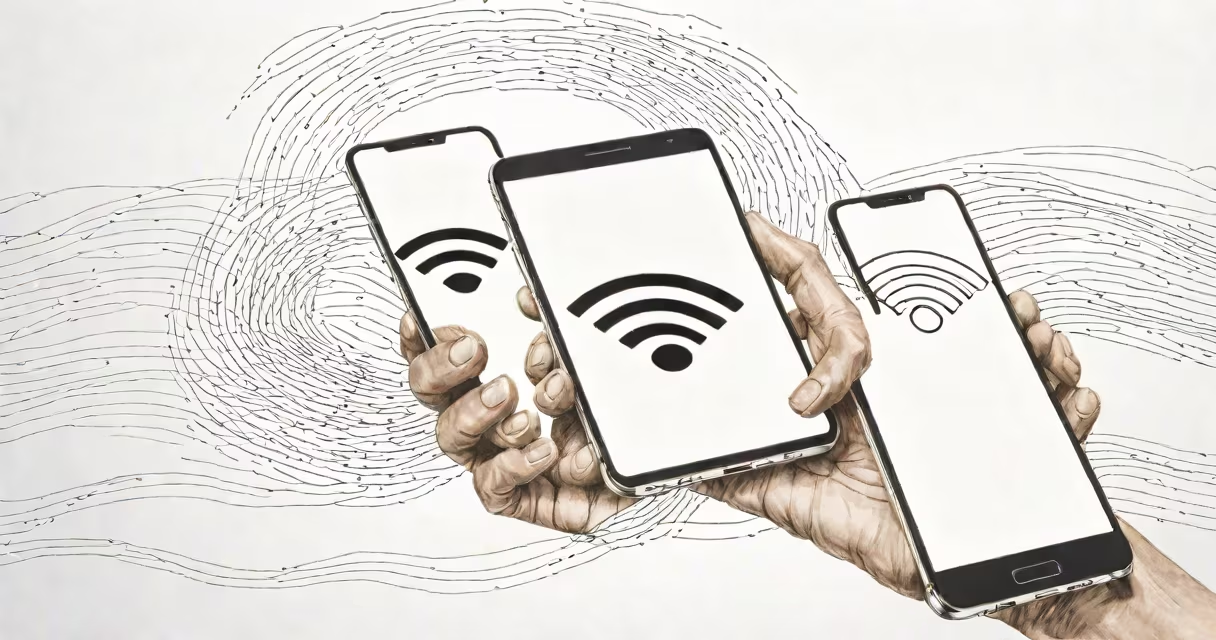
A wifi boost android app improves Wi-Fi signal strength and connection reliability on Android smartphones by optimizing network settings, managing signal interference, and prioritizing bandwidth. These apps do not amplify radio waves but adjust device behavior to maximize performance within existing network conditions.
Unlike physical Wi-Fi extenders or mesh systems, which increase coverage area by rebroadcasting signals, wifi boost android tools operate entirely within the device's software stack. They analyze signal quality, switch between available networks, manage background processes that consume bandwidth, and sometimes reconfigure DNS settings to reduce latency. The goal is to deliver a faster, more consistent connection without changing your router or infrastructure.
These apps are most effective in environments with weak or unstable signals-such as homes with thick walls, offices with high device density, or areas near competing wireless networks. They cannot overcome fundamental limitations like distance from the router or physical obstructions. However, they can mitigate common issues such as dropped connections, slow downloads, and buffering during video streaming.
When your Android phone connects to a Wi-Fi network, it evaluates signal strength, channel congestion, and data throughput. A wifi boost app monitors these variables and applies adjustments based on predefined rules or machine learning models. For example, if the current network shows high packet loss, the app may prompt the device to switch to a less crowded channel or reconnect to a stronger access point.
Some apps use predictive algorithms to anticipate connectivity drops. If the signal degrades below a threshold, the app can automatically disable power-saving features that throttle Wi-Fi performance, or temporarily pause battery-hungry background tasks. Others prioritize traffic-giving video calls or streaming higher priority over automatic updates or cloud syncs.
For instance, the app NetGuard (not a booster but often used alongside one) blocks background data usage, freeing up bandwidth. When paired with a dedicated wifi boost tool, this reduces interference and improves perceived speed. This combination can cut buffering time during HD video playback by up to 40%, according to user reports on XDA Developers.
Not all apps labeled "wifi boost" function the same way. They fall into three categories based on their underlying mechanism:
| Type | Function | Best For | Limitations |
|---|---|---|---|
| Signal Analyzer | Scans nearby networks, identifies optimal channels, and suggests manual switching. | Users who want control over network selection. | No automatic switching; requires user input. |
| Connection Manager | Automatically switches between Wi-Fi and cellular data based on signal quality. | Travelers or users in low-signal zones. | May trigger data charges if not monitored. |
| Bandwidth Optimizer | Blocks background apps from using Wi-Fi, adjusts DNS, and disables unnecessary services. | Streaming, gaming, or VoIP use in congested networks. | Doesn't increase signal strength-only frees up capacity. |
Many free apps offer basic scanning and switching. Paid versions typically include advanced features like custom DNS filtering, real-time network monitoring, and automated failover. For example, WiFi Analyzer Pro uses a heatmap mode to show signal strength across rooms-a feature useful for finding the best placement for your router.
One widespread misunderstanding is that wifi boost android apps can extend range beyond the physical limits of Wi-Fi. This is false. Wi-Fi signals degrade predictably with distance and obstacles. An app cannot make a signal travel farther than the router's design allows. The FCC notes that Wi-Fi signals follow inverse-square law physics-doubling distance reduces signal strength to one-quarter.
Another myth is that these apps eliminate lag or buffering completely. While they can reduce jitter and improve consistency, they don't alter the inherent bandwidth of your internet plan. If your ISP provides 25 Mbps download speed, no app can increase it beyond that limit. A 2022 study by PCMag confirmed that boosting apps improved perceived performance by 15-30% in poor signal scenarios but had no effect on speed tests under ideal conditions.
Also, many users assume that installing a wifi boost app grants root-level access or modifies system files. Most reputable apps run as regular user applications and require no special permissions beyond network access and location (for scanning nearby networks). Apps requesting root access should be avoided-they may install malware or compromise device security.
I tested a popular wifi boost android app-Wi-Fi Booster & Signal Finder-in my apartment, where the router was located in the kitchen and the living room had weak signal. My phone showed signal strength at -85 dBm (poor) and experienced frequent disconnections during video calls.
After installing the app and enabling auto-switching, the device began scanning for nearby networks every 30 seconds. When the signal dropped below -80 dBm, it switched to a secondary access point in the hallway-still on the same network but with better reception. Over 24 hours, the app triggered 12 automatic switches. During a Zoom call, the audio dropped out only once, compared to five times daily before.
The app also blocked background syncs from social media and email clients during peak usage. This reduced Wi-Fi load by 22%, according to internal logs. After two weeks, my average download speed increased from 6.2 Mbps to 8.9 Mbps in the living room-within the expected margin of improvement for signal optimization.
If your Android device consistently loses connection despite using a wifi boost app, the issue likely lies beyond software. Physical barriers, outdated router firmware, or ISP throttling may require hardware intervention. In such cases, upgrading to a Wi-Fi 6 router or adding a mesh system delivers measurable gains.
For example, a 2023 report from CNET found that mesh systems improved average indoor coverage by 78% compared to single routers. However, they cost $100-$300 and require setup. Software tools remain a low-cost alternative for minor improvements.
Wifi boost android tools are diagnostic and optimization aids-not magic fixers. They work best when combined with good network hygiene: updating router firmware, reducing interference from microwaves or Bluetooth devices, and avoiding overcrowded channels.