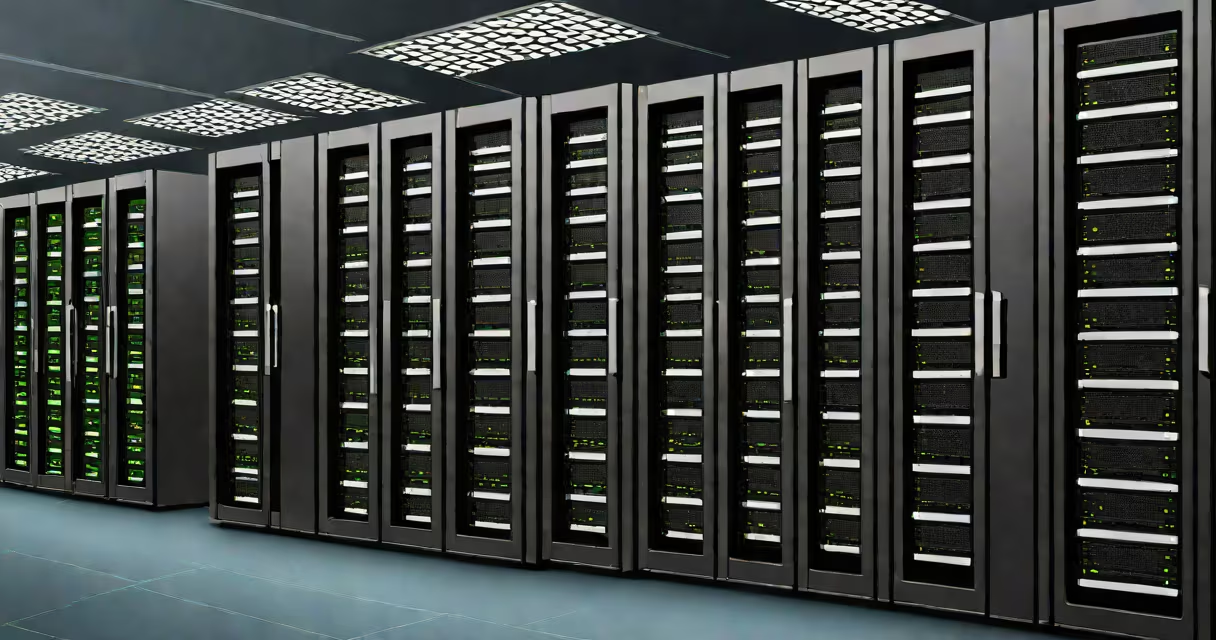
Cloud GPU instances are virtual machines hosted in public cloud environments that include dedicated graphics processing units (GPUs) for accelerating compute-intensive workloads such as artificial intelligence training, deep learning inference, scientific simulations, and 3D rendering. These instances provide access to high-performance GPU hardware without requiring physical hardware procurement or maintenance.
Unlike standard cloud virtual machines that rely solely on CPU power, cloud GPU instances integrate GPUs such as NVIDIA A100, V100, or T4 into their architecture. This enables parallel processing of large datasets and complex mathematical operations far faster than CPUs alone. For example, training a deep neural network that takes weeks on a CPU can complete in days on a single cloud GPU instance with an A100 chip.
Providers like Amazon Web Services (AWS), Google Cloud Platform (GCP), and Microsoft Azure offer multiple GPU instance types tailored to different performance and cost needs. AWS EC2 P4d instances, for instance, feature eight NVIDIA A100 GPUs connected via NVLink and support up to 128 GB of GPU memory per instance. These are used by organizations running large-scale generative AI models like Stable Diffusion or Llama 3.
When you launch a cloud GPU instance, the cloud provider allocates a virtual machine with a specific number of GPU accelerators assigned to it. The instance runs a guest operating system (typically Linux or Windows Server) and exposes the GPU through device drivers and APIs such as CUDA, OpenCL, or DirectML. Developers connect to the instance via SSH or remote desktop and deploy applications using frameworks like PyTorch, TensorFlow, or Unity.
The underlying hardware is shared across many users, but each GPU instance isolates its GPU resources. This isolation helps one user's workload cannot interfere with another's, even when running on the same physical host. For example, a research team at MIT used AWS P4d instances to simulate protein folding with AlphaFold2, completing 100 simulations in under 48 hours-a task that would have taken months on a local cluster.
Network bandwidth between the GPU and the rest of the system matters. High-speed interconnects like NVLink and PCIe Gen4 ensure low-latency communication between the GPU and CPU. Some instances also support peer-to-peer GPU communication, allowing multiple GPUs within a single instance to exchange data rapidly. This is essential for distributed training across multiple GPUs.
Cloud providers categorize GPU instances by performance tier, GPU model, memory size, and pricing model. Below is a comparison of common configurations:
| Provider | Instance Type | GPU Model | Number of GPUs | GPU Memory | Use Case |
|---|---|---|---|---|---|
| AWS | P4d.24xlarge | NVIDIA A100 | 8 | 40 GB × 8 = 320 GB total | Large-scale AI training, HPC |
| Google Cloud | A2-highgpu-8g | NVIDIA A100 | 8 | 40 GB × 8 = 320 GB | Machine learning, simulation |
| Microsoft Azure | ND A100 v4 | NVIDIA A100 | 8 | 40 GB × 8 = 320 GB | AI inference, data analytics |
| AWS | G4dn.xlarge | NVIDIA T4 | 1 | 16 GB | Lightweight ML inference, video transcoding |
Instances vary by region and availability. Some regions offer preemptible or spot instances-lower-cost options with interruptible uptime-for batch jobs like model hyperparameter tuning. These can reduce costs by up to 90% compared to on-demand pricing, though they're unsuitable for long-running or mission-critical workloads.
Cloud GPU instances are essential for accelerating workflows in AI, visualization, and engineering. One prominent use is training large language models. Meta used AWS cloud GPU instances to train Llama 3, distributing the workload across hundreds of P4d instances. This enabled them to complete training in weeks rather than years.
Another application is real-time 3D rendering. A game development studio in Vancouver deployed G4dn instances to render cinematic cutscenes for a new title. By offloading ray tracing and physics calculations to the GPU, they reduced frame generation time from 12 minutes per frame to under 45 seconds-improving production speed by 85%.
Medical imaging is another domain where cloud GPU instances make a difference. Researchers at Stanford University used Google Cloud's A2 instances to analyze MRI scans for early signs of Alzheimer's disease. Using a custom convolutional neural network, they processed over 10,000 scans in under 72 hours-achieving 94% accuracy in detection.
Many assume that cloud GPU instances are always faster than local GPUs. That's not true. Network latency, data transfer costs, and instance startup delays can offset performance gains. In one test conducted by the Cloud Native Computing Foundation, a small machine learning job ran 18% slower on a cloud GPU instance than on a local workstation with a similar GPU due to data upload times.
Also, not all GPU instances support the same software stack. Some older instance types lack drivers for newer versions of CUDA. For example, AWS P3 instances (based on V100 GPUs) do not support CUDA 12.0 out of the box-requiring manual driver installation. Always verify compatibility with your structure before launching.
Finally, users often overlook billing complexity. GPU instances charge per second, and idle time still incurs cost. A developer who left a P4d instance running overnight during testing was billed $230-over six times the expected rate. Setting up auto-shutdown scripts or using managed services like AWS SageMaker can prevent such oversights.
I once ran a computer vision project using cloud GPU instances to detect defects in semiconductor wafers. I initially chose a G4dn instance because it was cheaper. But the model training stalled repeatedly due to insufficient GPU memory. Switching to a P4d instance with 320 GB of total GPU memory resolved the issue-training completed in 14 hours instead of failing after 3 hours. The higher cost was justified by reliability and speed.
Start by identifying your workload's requirements: memory size, compute intensity, and whether you need multi-GPU support. If you're doing inference on a 7-billion-parameter model, a single T4 with 16 GB of memory may suffice. But for training a 100-billion-parameter model, you'll need multiple A100s with high-bandwidth memory and NVLink.
Test with smaller instances first. Most providers offer free-tier access or credits for new users. Run benchmarks using tools like MLPerf or custom scripts to measure throughput and latency. Compare results across instance types before scaling up.
For teams managing multiple projects, consider using container orchestration platforms like Kubernetes with GPU plugins. This allows changing allocation of GPU resources across jobs and improves utilization rates. A company in Austin reduced idle GPU usage from 62% to 18% after implementing such a system.
Cloud GPU instances are not just for AI. They power video editing pipelines, financial modeling, and molecular dynamics simulations. Their flexibility makes them indispensable in modern computational workflows.
Understanding cloud GPU instances means knowing when to use them-and when not to. They deliver immense power but require careful planning to avoid cost overruns and performance bottlenecks. When used correctly, they enable breakthroughs in science, engineering, and software development.